The effects of alcohol on
sustanon 250 leucine for – real weight loss & bodybuilding benefits?
[Solved] wpdiscuz does not display gravatars correctly when working with elementor
✦
✦
✦
AI is analyzing the discussion...
(@gandhi89)
Posts: 4
Active Member
Translate
▼
English
Spanish
French
German
Italian
Portuguese
Russian
Chinese
Japanese
Korean
Arabic
Hindi
Dutch
Polish
Turkish
Vietnamese
Thai
Swedish
Danish
Finnish
Norwegian
Czech
Hungarian
Romanian
Greek
Hebrew
Indonesian
Malay
Ukrainian
Bulgarian
Croatian
Slovak
Slovenian
Serbian
Lithuanian
Latvian
Estonian
Show original
Translating...
[#2768]
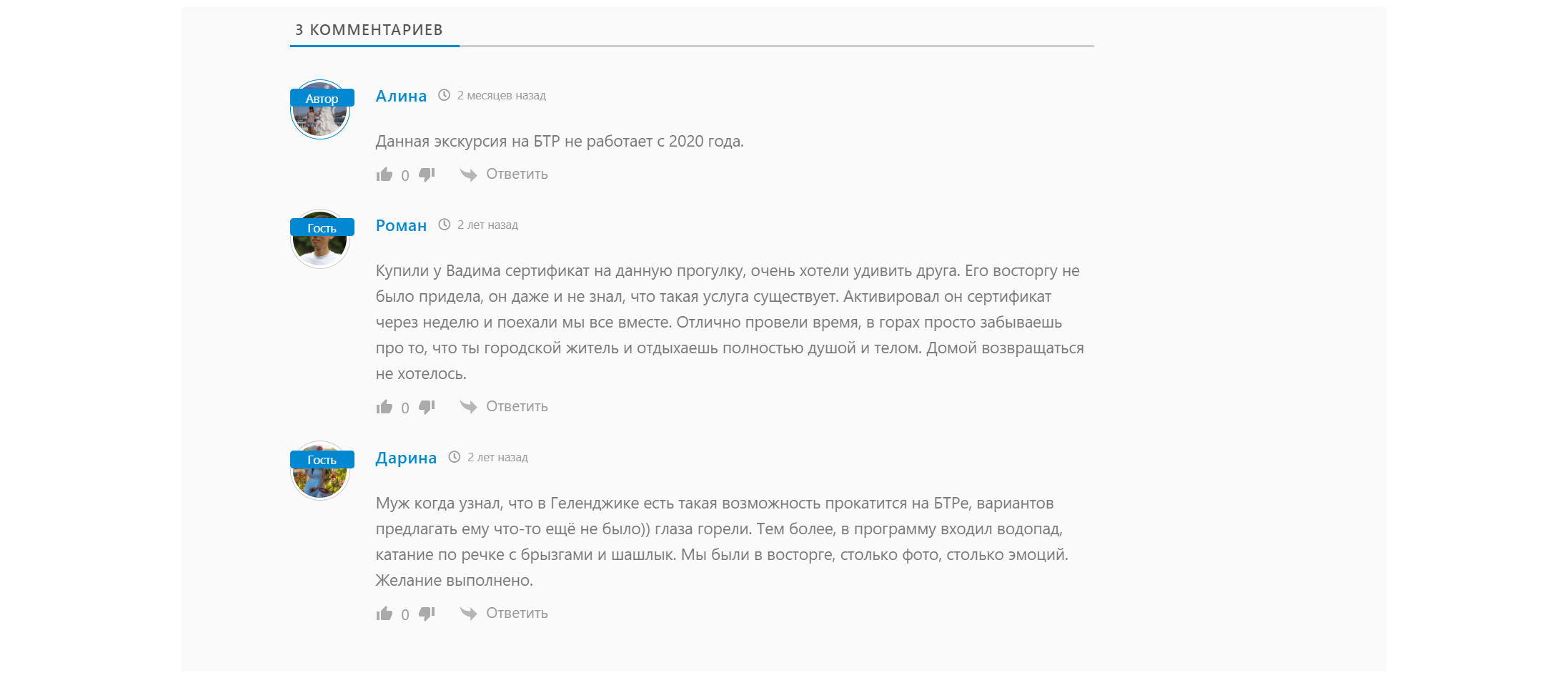
wpdiscuz does not display the gravatars of authorized users and guests correctly when working with elementor. Superimposing the name on the photo. Is there a way to fix this?
Posted : 30/08/2021 9:45 am
(@jacob)
Posts: 134
Estimable Member Support
Translate
▼
English
Spanish
French
German
Italian
Portuguese
Russian
Chinese
Japanese
Korean
Arabic
Hindi
Dutch
Polish
Turkish
Vietnamese
Thai
Swedish
Danish
Finnish
Norwegian
Czech
Hungarian
Romanian
Greek
Hebrew
Indonesian
Malay
Ukrainian
Bulgarian
Croatian
Slovak
Slovenian
Serbian
Lithuanian
Latvian
Estonian
Show original
Translating...
gandhi89 Hi, please leave an example URL of a page you need help with.
In case you want to say thank you! 🙂
We'd really appreciate if you leave a good review on the plugin page. This is the best way to say thank you to this project and the support team.
Posted : 30/08/2021 4:37 pm
(@gandhi89)
Posts: 4
Active Member
Translate
▼
English
Spanish
French
German
Italian
Portuguese
Russian
Chinese
Japanese
Korean
Arabic
Hindi
Dutch
Polish
Turkish
Vietnamese
Thai
Swedish
Danish
Finnish
Norwegian
Czech
Hungarian
Romanian
Greek
Hebrew
Indonesian
Malay
Ukrainian
Bulgarian
Croatian
Slovak
Slovenian
Serbian
Lithuanian
Latvian
Estonian
Show original
Translating...
@jacob blacksea-trips.ru/konnye-progulki.html
Posted : 30/08/2021 4:43 pm
(@jacob)
Posts: 134
Estimable Member Support
Translate
▼
English
Spanish
French
German
Italian
Portuguese
Russian
Chinese
Japanese
Korean
Arabic
Hindi
Dutch
Polish
Turkish
Vietnamese
Thai
Swedish
Danish
Finnish
Norwegian
Czech
Hungarian
Romanian
Greek
Hebrew
Indonesian
Malay
Ukrainian
Bulgarian
Croatian
Slovak
Slovenian
Serbian
Lithuanian
Latvian
Estonian
Show original
Translating...
@gandhi89
Copy and paste this CSS code into
wpDiscuz > Settings > Styles and Colors > Custom CSS Code textarea and save changes
#wpdcom .avatar {
      position: static;
}
Delete all caches before checking.
In case you want to say thank you! 🙂
We'd really appreciate if you leave a good review on the plugin page. This is the best way to say thank you to this project and the support team.
Posted : 30/08/2021 6:12 pm
(@gandhi89)
Posts: 4
Active Member
Translate
▼
English
Spanish
French
German
Italian
Portuguese
Russian
Chinese
Japanese
Korean
Arabic
Hindi
Dutch
Polish
Turkish
Vietnamese
Thai
Swedish
Danish
Finnish
Norwegian
Czech
Hungarian
Romanian
Greek
Hebrew
Indonesian
Malay
Ukrainian
Bulgarian
Croatian
Slovak
Slovenian
Serbian
Lithuanian
Latvian
Estonian
Show original
Translating...
@jacob
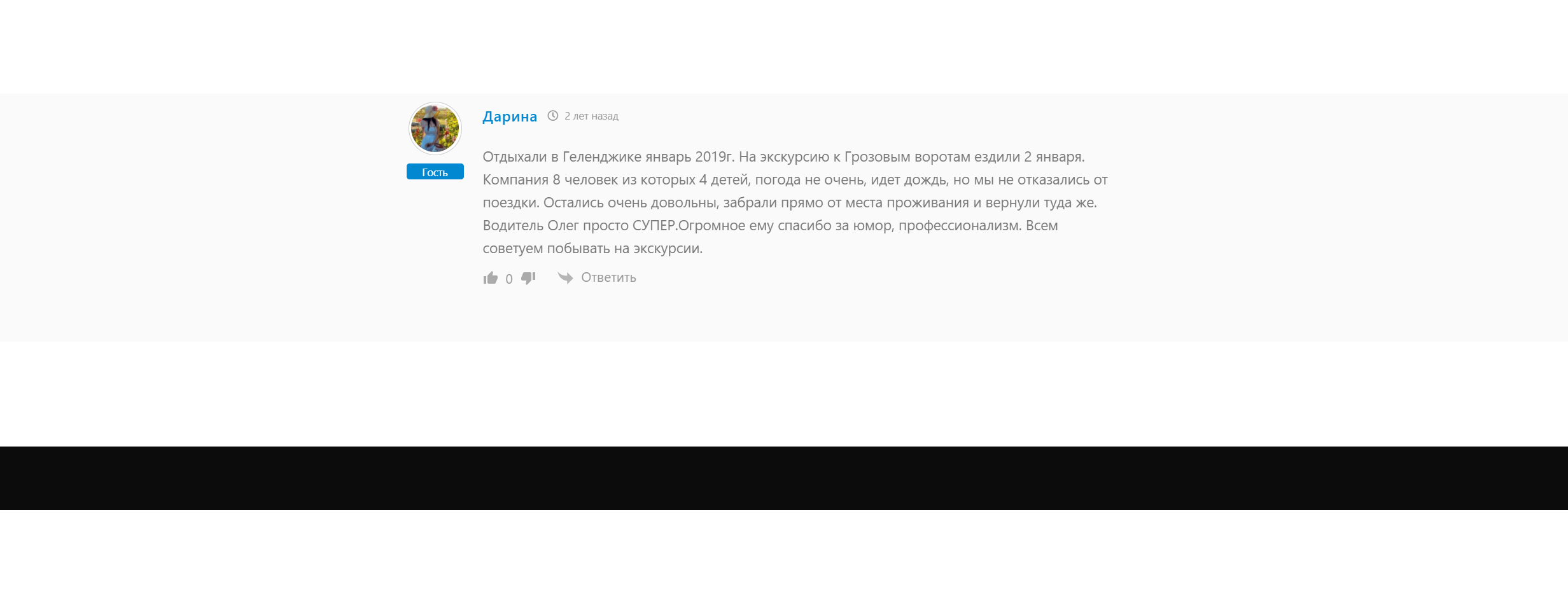
It helped, thank you very much! I'm not good at CSS, could you help me solve the problem: reduce the void from comments to footer...pixels 50-80 are just empty, it looks ugly((((
Posted : 30/08/2021 7:28 pm
(@jacob)
Posts: 134
Estimable Member Support
Translate
▼
English
Spanish
French
German
Italian
Portuguese
Russian
Chinese
Japanese
Korean
Arabic
Hindi
Dutch
Polish
Turkish
Vietnamese
Thai
Swedish
Danish
Finnish
Norwegian
Czech
Hungarian
Romanian
Greek
Hebrew
Indonesian
Malay
Ukrainian
Bulgarian
Croatian
Slovak
Slovenian
Serbian
Lithuanian
Latvian
Estonian
Show original
Translating...
@gandhi89
You can use this CSS code however please note that this is not 100% solution as this is a theme's styles and don't related to wpDiscuz .
This can affect on other pages also . So if that happens I'm recommending revert all these changes provided below and contact to your theme support team.
#comments {
    margin: 50px auto 0;
}
.formatter {
    padding: 60px 60px 20px;
}
Don't forget to delete all caches before checking.
In case you want to say thank you! 🙂
We'd really appreciate if you leave a good review on the plugin page. This is the best way to say thank you to this project and the support team.
Posted : 30/08/2021 7:59 pm
(@gandhi89)
Posts: 4
Active Member
Translate
▼
English
Spanish
French
German
Italian
Portuguese
Russian
Chinese
Japanese
Korean
Arabic
Hindi
Dutch
Polish
Turkish
Vietnamese
Thai
Swedish
Danish
Finnish
Norwegian
Czech
Hungarian
Romanian
Greek
Hebrew
Indonesian
Malay
Ukrainian
Bulgarian
Croatian
Slovak
Slovenian
Serbian
Lithuanian
Latvian
Estonian
Show original
Translating...
@jacob Thank you very much it worked! We solved all the difficulties that arose in the shortest possible time! I will definitely write a positive review about wpdiscuz!
Posted : 30/08/2021 8:22 pm
Super Globals
Options and Features