WP Fastest Cache is installed on the site. After the user writes a comment, he is shown a page not from the cache. He can see the page from the cache after removing the COOKIES files from the browser.
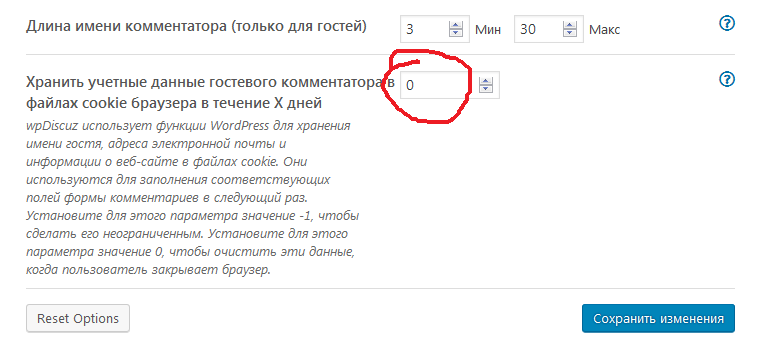
I have configured deleting COOKIES when closing the browser. enabled number 0
Result: It works in a browser on a PC. But in mobile device files COOKIES are not deleted from the user who wrote the comment. Please tell me, can I turn off COOKIES so that the user does not receive them?
We've just checked this. Actually, the cookies are being deleted on the mobile devices as well. However, the browser remembers the name, email filled in the fields. Those are not cookies.
In case you want to say thank you! 🙂 We'd really appreciate if you leave a good review on the plugin page. This is the best way to say thank you to this project and the support team.
I just looked on a mobile device in a Chrome browser the cookies are really being deleted. But for example, in another browser "yandex" is not. The user needs to manually delete cookies to see the page from the cache. Please tell me, can I turn off COOKIES so that the user does not receive them?
I may suggest you create a Checkbox for Cookies Consent, and if users don't check the checkbox the cookies will not be saved. If you don't want to display the field, just hide it via CSS code.
In case you want to say thank you! 🙂 We'd really appreciate if you leave a good review on the plugin page. This is the best way to say thank you to this project and the support team.