The effects of alcohol on
sustanon 250 leucine for – real weight loss & bodybuilding benefits?
Bug Site favicon / admin avatar showing for all users instead of social profile avatars
✦ Summarize Topic
✦
✦
✦
AI is analyzing the discussion...
How-to and Troubleshooting
(@john-muller)
Posts: 4
Active Member
Topic starter
Translate
▼
English
Spanish
French
German
Italian
Portuguese
Russian
Chinese
Japanese
Korean
Arabic
Hindi
Dutch
Polish
Turkish
Vietnamese
Thai
Swedish
Danish
Finnish
Norwegian
Czech
Hungarian
Romanian
Greek
Hebrew
Indonesian
Malay
Ukrainian
Bulgarian
Croatian
Slovak
Slovenian
Serbian
Lithuanian
Latvian
Estonian
Show original
Translating...
[#11260]
I am facing an issue with user avatars on my WordPress site.
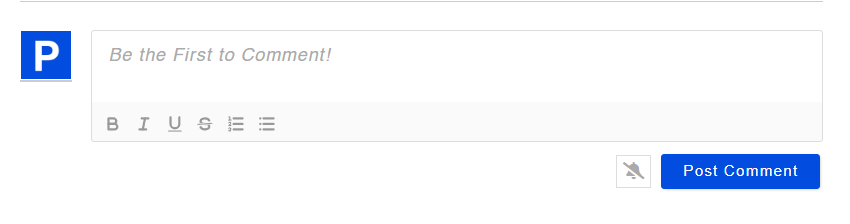
Currently, the site favicon or admin avatar is showing as the avatar for all users, even when users log in via social login (Google or X).
Expected behavior
-
If a user logs in using Google, their Google profile photo should appear.
-
If a user logs in using X, their X profile photo should appear.
-
Only users without a profile image should fall back to a default avatar.
Actual behavior
Question
How can I configure WordPress so that:
-
Social login users display their own social profile image, and
-
WordPress does not override avatars with the site favicon or admin avatar?
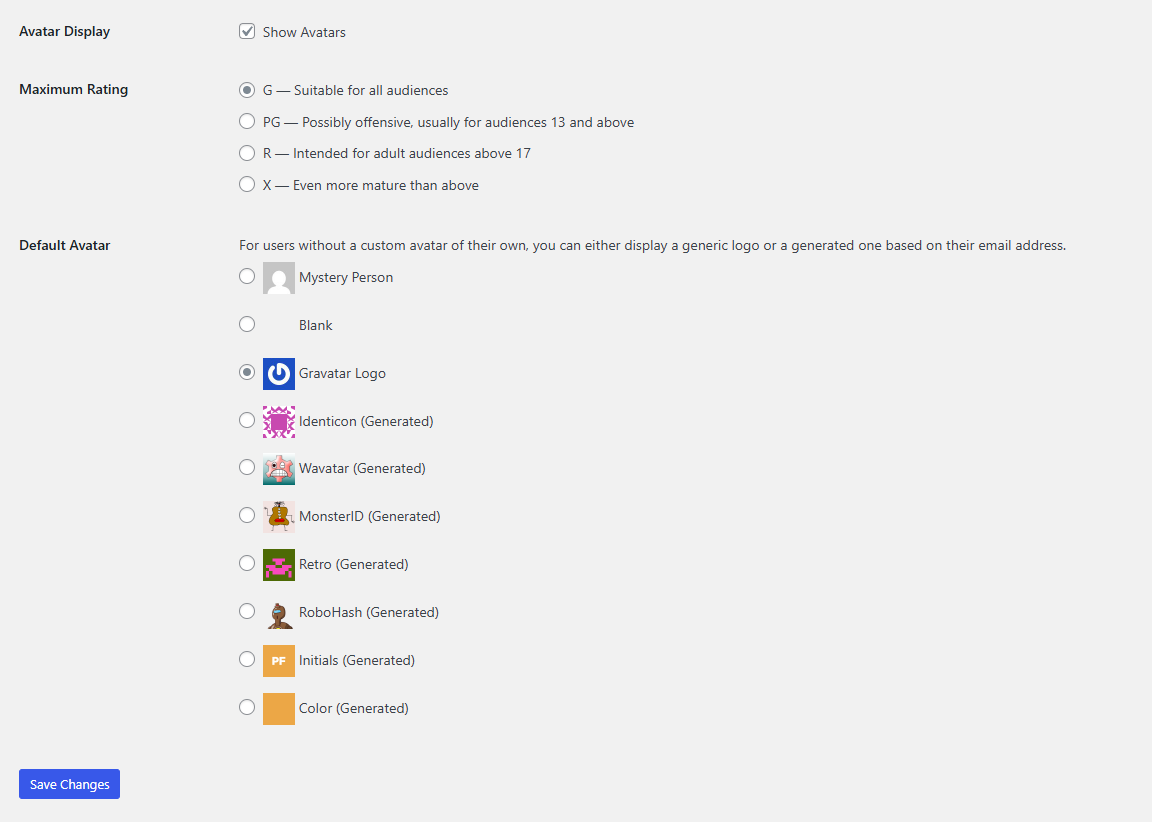
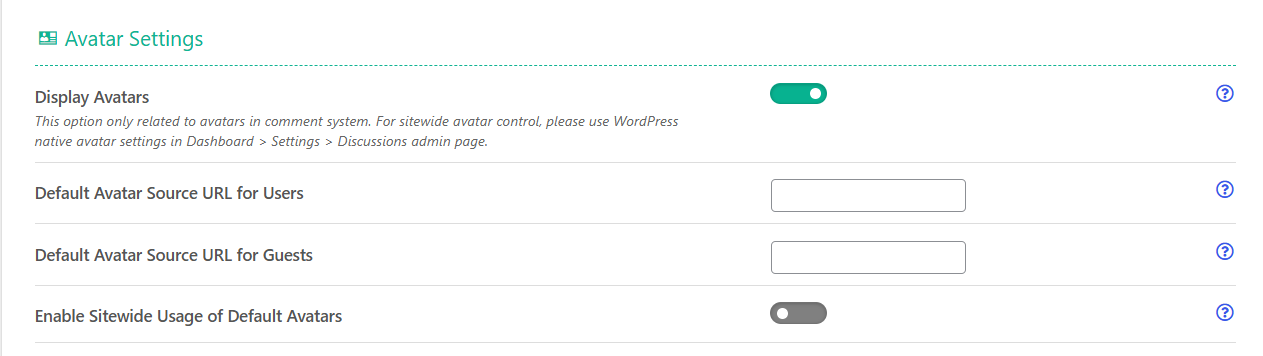
I have attached the settings screenshot for reference.
Any guidance on the correct settings, filters, or plugins to fix this would be appreciated.
Posted : 23/01/2026 10:32 pm
(@john-muller)
Posts: 4
Active Member
Topic starter
Translate
▼
English
Spanish
French
German
Italian
Portuguese
Russian
Chinese
Japanese
Korean
Arabic
Hindi
Dutch
Polish
Turkish
Vietnamese
Thai
Swedish
Danish
Finnish
Norwegian
Czech
Hungarian
Romanian
Greek
Hebrew
Indonesian
Malay
Ukrainian
Bulgarian
Croatian
Slovak
Slovenian
Serbian
Lithuanian
Latvian
Estonian
Show original
Translating...
Posted : 23/01/2026 10:34 pm
(@tomson)
Posts: 512
Honorable Member Support
Translate
▼
English
Spanish
French
German
Italian
Portuguese
Russian
Chinese
Japanese
Korean
Arabic
Hindi
Dutch
Polish
Turkish
Vietnamese
Thai
Swedish
Danish
Finnish
Norwegian
Czech
Hungarian
Romanian
Greek
Hebrew
Indonesian
Malay
Ukrainian
Bulgarian
Croatian
Slovak
Slovenian
Serbian
Lithuanian
Latvian
Estonian
Show original
Translating...
Hi @john-muller ,
Please note that this is a free support community, it can takes a few days to get answer so please be patient especially on weekends.
First please disable wpDiscuz and make sure the avatars are there when wpDiscuz is disabled. If they are not displayed then this is not wpDiscuz issue. I recommend also change the avatar from Gravatar logo to the first default one and delete all caches.
Common issues to investigate:
- Avatar plugin conflicts: If you're using a dedicated avatar plugin (like Simple User Avatar or Ultimate Member), it might be overriding the social profile images. Check if there's a priority or fallback setting that's causing the site favicon to display instead.
- Media permissions: Some setups don't have proper permissions to download and store remote images. Verify your
/wp-content/uploads/ directory has correct permissions (usually 755).
- API scope issues: Make sure your Google and X app configurations include permissions to access profile photos. If the scope is limited, the plugin won't be able to retrieve the images.
- Caching: Sometimes caching plugins can interfere. Try temporarily disabling any caching to see if that's the culprit.
Quick troubleshooting steps:
1. Test by creating a new test user account via social login and see if the avatar pulls through
2. Check your WordPress error logs for any permission or API errors
3. Verify that the social app credentials are current and haven't been revoked.
Posted : 25/01/2026 5:35 pm
(@john-muller)
Posts: 4
Active Member
Topic starter
Translate
▼
English
Spanish
French
German
Italian
Portuguese
Russian
Chinese
Japanese
Korean
Arabic
Hindi
Dutch
Polish
Turkish
Vietnamese
Thai
Swedish
Danish
Finnish
Norwegian
Czech
Hungarian
Romanian
Greek
Hebrew
Indonesian
Malay
Ukrainian
Bulgarian
Croatian
Slovak
Slovenian
Serbian
Lithuanian
Latvian
Estonian
Show original
Translating...
@tomson We tried all the possible steps. Can you do it as PAID service? How much do you charge?
Posted : 25/01/2026 6:04 pm
(@john-muller)
Posts: 4
Active Member
Topic starter
Translate
▼
English
Spanish
French
German
Italian
Portuguese
Russian
Chinese
Japanese
Korean
Arabic
Hindi
Dutch
Polish
Turkish
Vietnamese
Thai
Swedish
Danish
Finnish
Norwegian
Czech
Hungarian
Romanian
Greek
Hebrew
Indonesian
Malay
Ukrainian
Bulgarian
Croatian
Slovak
Slovenian
Serbian
Lithuanian
Latvian
Estonian
Show original
Translating...
@tomson
The problem is Social Login is not pulling thier profile picture & showing site admin Avatars to all users.
Posted : 25/01/2026 6:05 pm
(@tomson)
Posts: 512
Honorable Member Support
Translate
▼
English
Spanish
French
German
Italian
Portuguese
Russian
Chinese
Japanese
Korean
Arabic
Hindi
Dutch
Polish
Turkish
Vietnamese
Thai
Swedish
Danish
Finnish
Norwegian
Czech
Hungarian
Romanian
Greek
Hebrew
Indonesian
Malay
Ukrainian
Bulgarian
Croatian
Slovak
Slovenian
Serbian
Lithuanian
Latvian
Estonian
Show original
Translating...
@john-muller,
I'm really sorry, but we don't offer paid support. As far as I can see, this issue is not related to wpDiscuz at all. I'd recommend Use some AI tool for troubleshooting for your case. Maybe something is wrong configured in Google Login Permissions or there is some plugin conflicting/overwriting the avatar hooks of your website.
Posted : 25/01/2026 6:29 pm
Super Globals
Options and Features