The effects of alcohol on sustanon 250 leucine for – real weight loss & bodybuilding benefits?
Search
Close
AI Search
Classic Search
 Search Phrase:
 Search Type:
Advanced search options
 Search in Forums:
 Search in date period:

 Sort Search Results by:

AI Assistant
No indication of ne...
 
Notifications
Clear all

Issue No indication of new comments after revisit

2 Posts
2 Users
0 Reactions
7,188 Views
Posts: 2
Topic starter
Translate
English
Spanish
French
German
Italian
Portuguese
Russian
Chinese
Japanese
Korean
Arabic
Hindi
Dutch
Polish
Turkish
Vietnamese
Thai
Swedish
Danish
Finnish
Norwegian
Czech
Hungarian
Romanian
Greek
Hebrew
Indonesian
Malay
Ukrainian
Bulgarian
Croatian
Slovak
Slovenian
Serbian
Lithuanian
Latvian
Estonian

(@dimitris)
Active Member
Joined: 4 months ago
[#10975]

I am an administrator of a protected WordPress blog. The blog is a protected site with login-only access to predefined users.
We are using WPDiscuz as an commenting platform.
Live update works perfectly while being actively viewing the post page (comments appear in real-time, notification bubble works, and new comments turn green).
But when I revisit a post after some time, WPDiscuz doesn't indicate which comments are new — no green highlight, and no number in the notification bubble.
I have tried to change the settings of wpDiscuz, but I didn't fix it.
How to fix it?

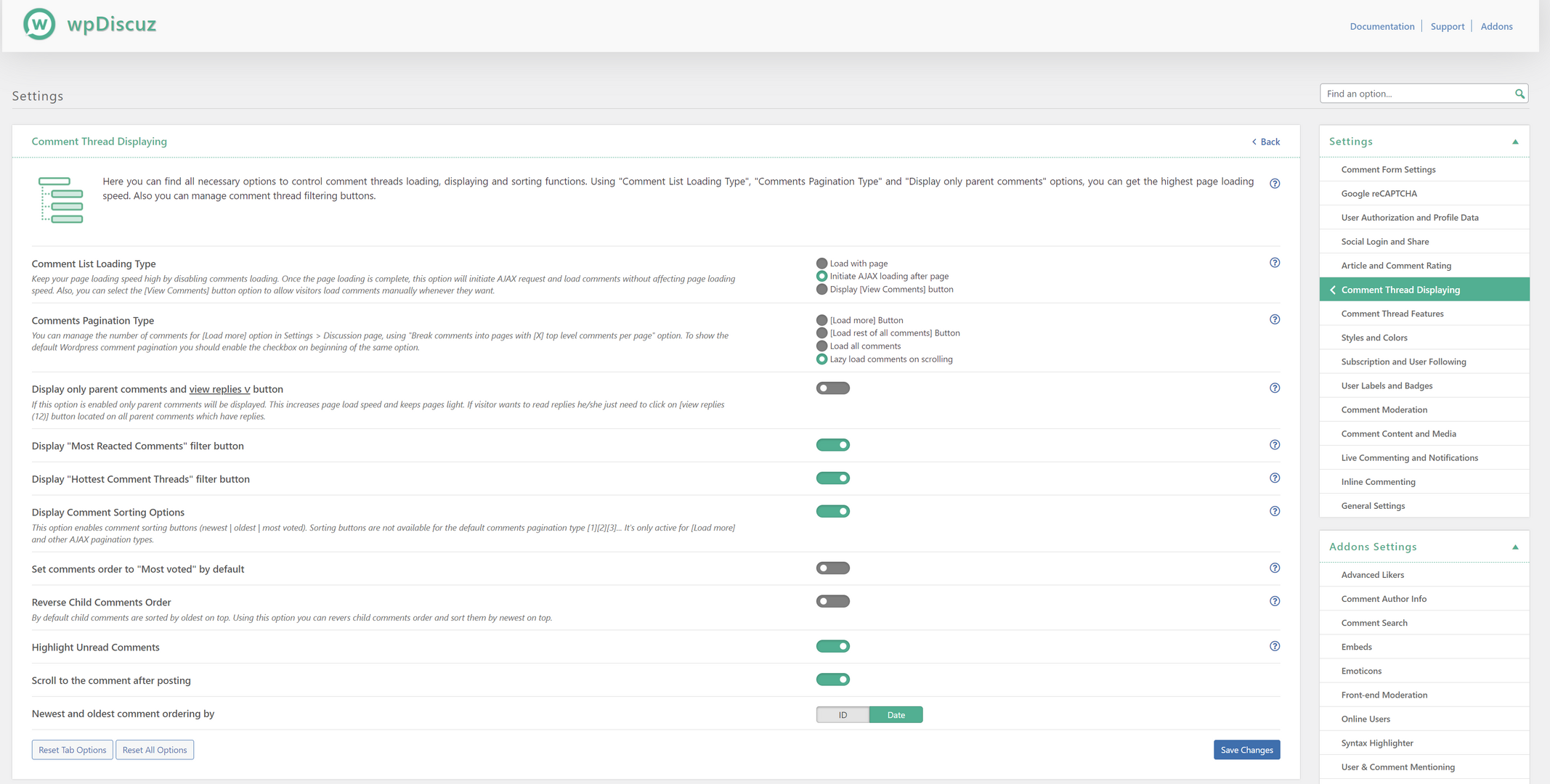
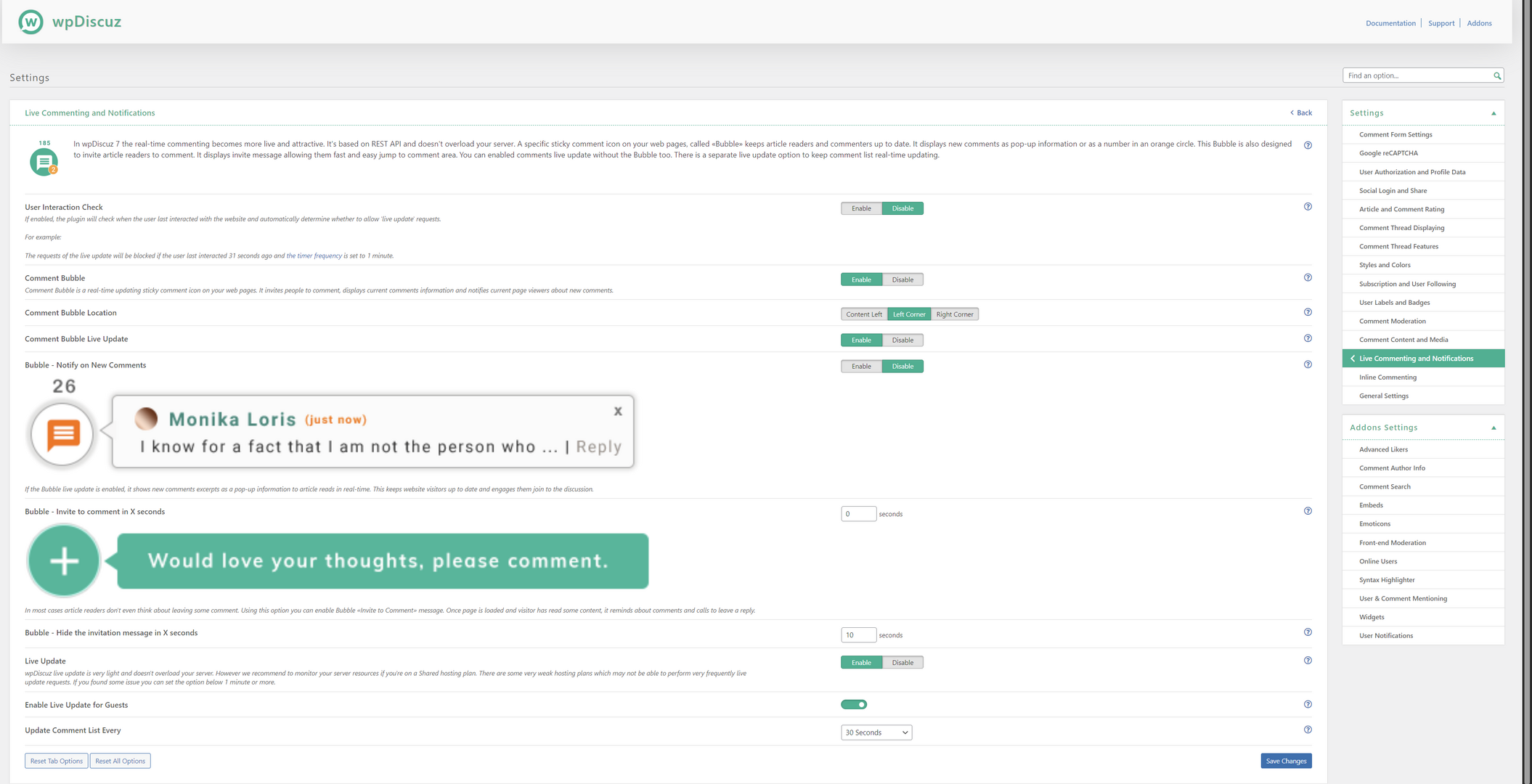
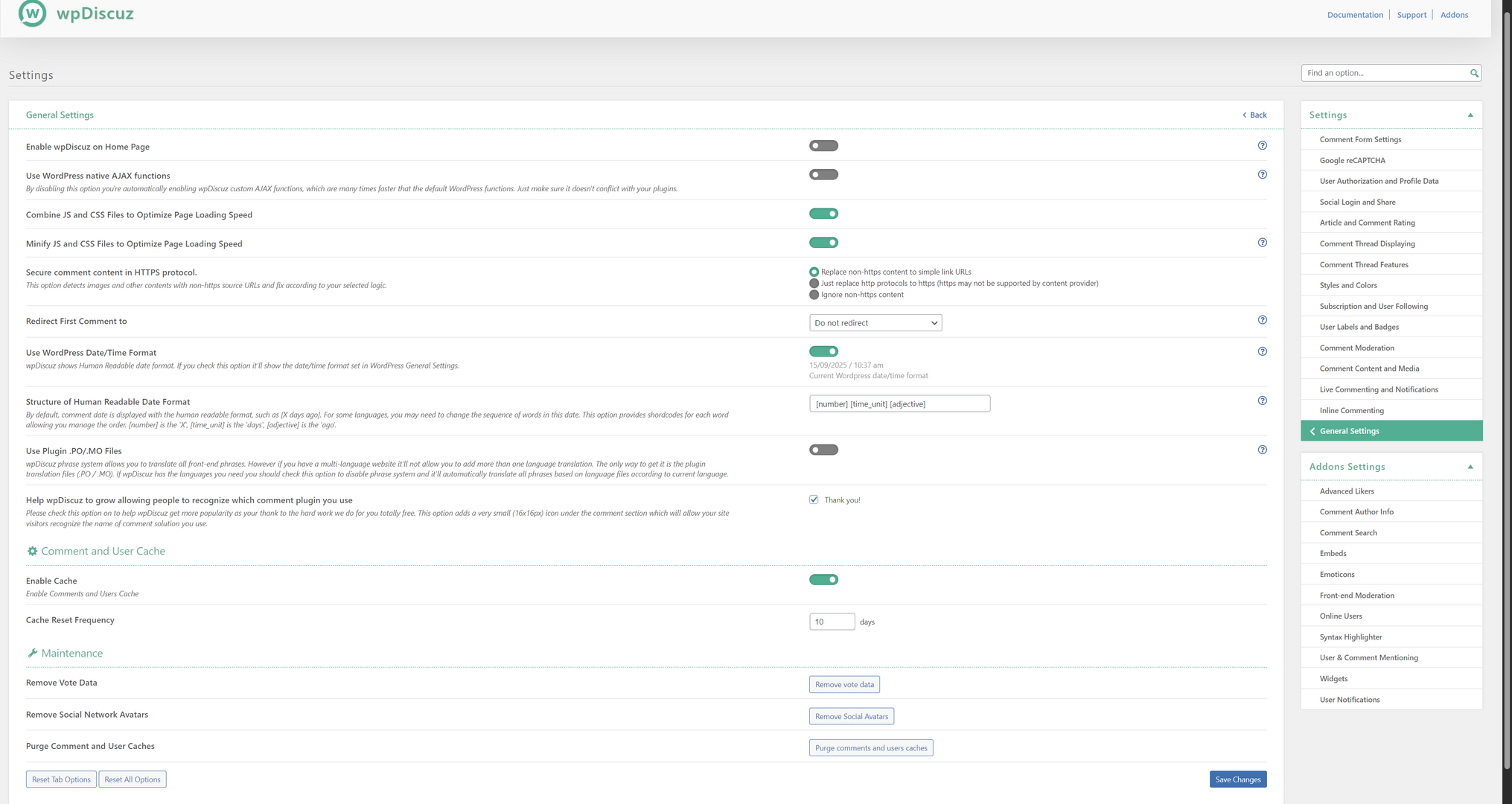
Some screenshots with my current settings are attached.

Thank you in advance !

WPDiscuz settings p4
WPDiscuz settings p2
WPDiscuz settings p1
WPDiscuz settings p3


1 Reply
Asti
Posts: 8211
 Asti
Support
Translate
English
Spanish
French
German
Italian
Portuguese
Russian
Chinese
Japanese
Korean
Arabic
Hindi
Dutch
Polish
Turkish
Vietnamese
Thai
Swedish
Danish
Finnish
Norwegian
Czech
Hungarian
Romanian
Greek
Hebrew
Indonesian
Malay
Ukrainian
Bulgarian
Croatian
Slovak
Slovenian
Serbian
Lithuanian
Latvian
Estonian
(@asti)
Illustrious Member
Joined: 8 years ago

Hi,

We don't find such an issue on our test websites. 

Please check for any console errors. You can do this by pressing F12 to open the developer tools, then navigate to the console tab. Any errors will be displayed there.


Reply
Share: