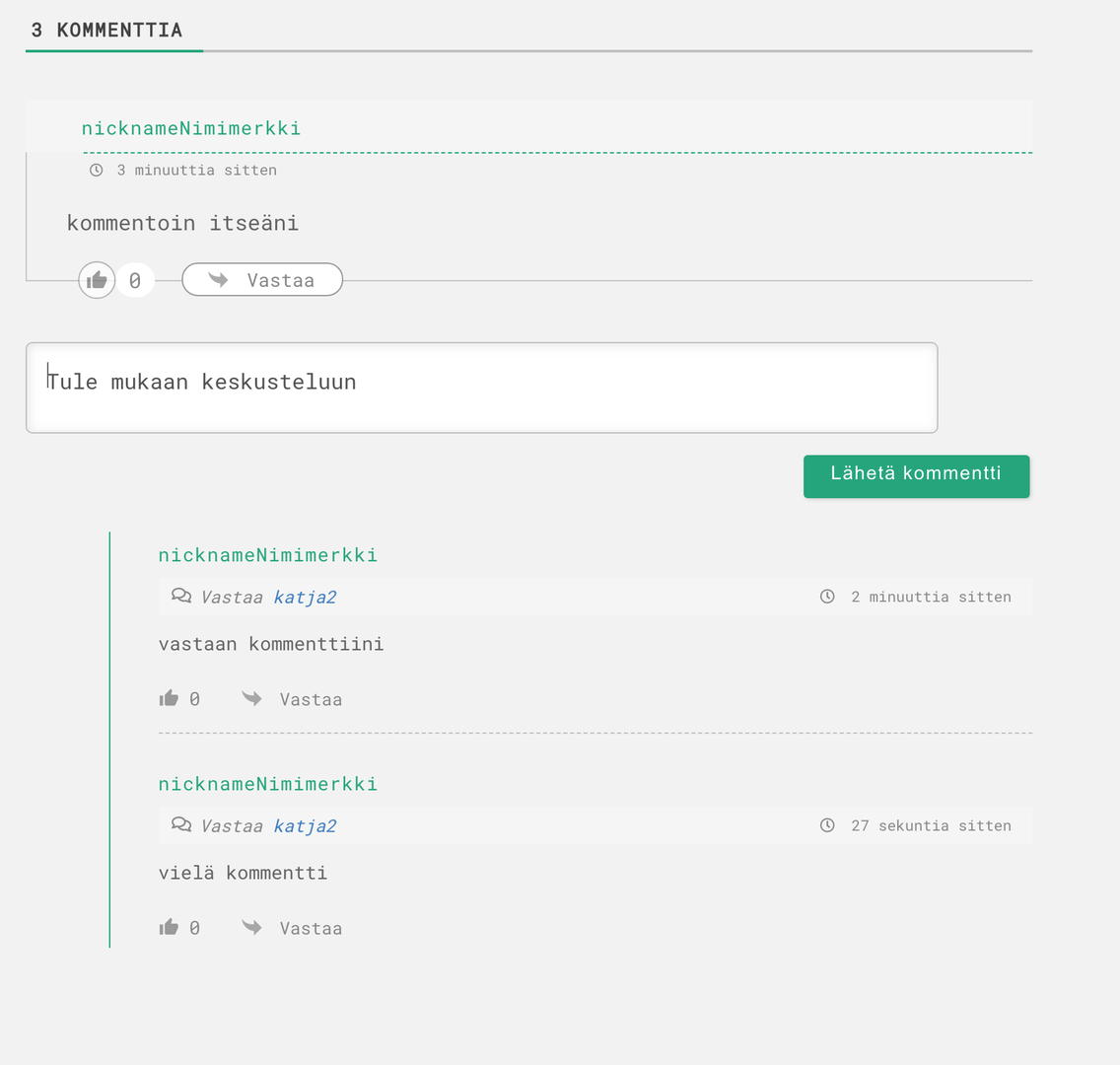
In this test thread there is the commenter "nicknameNimimerkki" and when this same commenter replies to his comment, the username "katja2" is shown. How can this be avoided? I have purchased all the budles, just can't find the place.
We don't find such an issue on our test websites. Could you please send the admin login details to info[at]gvectors.com email address? I'll ask the developers to check the issue for you.
In case you want to say thank you! 🙂 We'd really appreciate if you leave a good review on the plugin page. This is the best way to say thank you to this project and the support team.
The issue is fixed by our developers. It came from the wpdiscuz_comment_author hook. You've added the custom code using it. However, it didn't have any effect on the "in reply to" section. The issue is fixed.
In case you want to say thank you! 🙂 We'd really appreciate if you leave a good review on the plugin page. This is the best way to say thank you to this project and the support team.
Probably some developer or another admin has added it.
In case you want to say thank you! 🙂 We'd really appreciate if you leave a good review on the plugin page. This is the best way to say thank you to this project and the support team.
Ok, I must have done it myself (shame) - just not understanding what I was doing and now already forgotten the whole thing. Thank you very much for correcting me. It would be nice if you deleted the screenshot, thank you.
Done. I'll mark this topic as solved and close it soon.
In case you want to say thank you! 🙂 We'd really appreciate if you leave a good review on the plugin page. This is the best way to say thank you to this project and the support team.