The effects of alcohol on
sustanon 250 leucine for – real weight loss & bodybuilding benefits?
✦
✦
✦
AI is analyzing the discussion...
Topic starter
Translate
▼
English
Spanish
French
German
Italian
Portuguese
Russian
Chinese
Japanese
Korean
Arabic
Hindi
Dutch
Polish
Turkish
Vietnamese
Thai
Swedish
Danish
Finnish
Norwegian
Czech
Hungarian
Romanian
Greek
Hebrew
Indonesian
Malay
Ukrainian
Bulgarian
Croatian
Slovak
Slovenian
Serbian
Lithuanian
Latvian
Estonian
Show original
Translating...
Jan 19, 2024 10:35 pm
(@pipshunter-blog)
New Member
Joined: 3 years ago
Support
Translate
▼
English
Spanish
French
German
Italian
Portuguese
Russian
Chinese
Japanese
Korean
Arabic
Hindi
Dutch
Polish
Turkish
Vietnamese
Thai
Swedish
Danish
Finnish
Norwegian
Czech
Hungarian
Romanian
Greek
Hebrew
Indonesian
Malay
Ukrainian
Bulgarian
Croatian
Slovak
Slovenian
Serbian
Lithuanian
Latvian
Estonian
Show original
Translating...
Jan 20, 2024 2:38 pm
(@asti)
Illustrious Member
Joined: 9 years ago
Hi @pipshunter-blog,
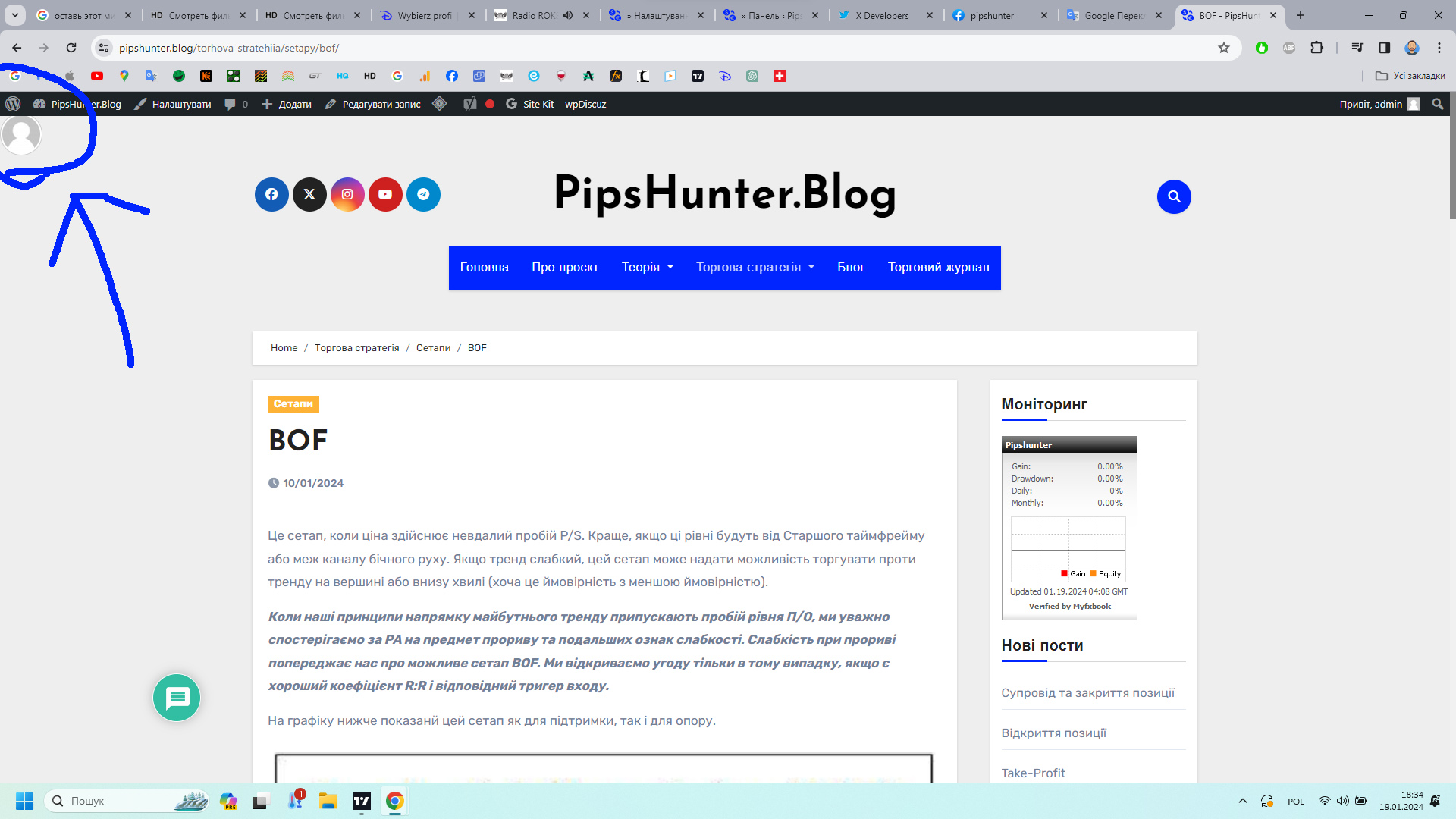
The avatar is not intended to be displayed there; it's a minor CSS conflict with the theme.
Watch this explanatory video: Avatar Display Issue
Use the CSS code below to solve the conflict:
#wpdcom .wpd-form .wpd-avatar img{
    position:static;
}
Insert the code in the "Custom CSS code" textarea, located in the Dashboard > wpDiscuz > Settings > Styles & Colors admin page.
Don't forget to delete the caches before checking.
If you wish to hide the avatar completely, utilize this CSS code:
#wpdcom .wpd-form .wpd-avatar{
    display:none;
}
This doc should also be helpful for you: https://wpdiscuz.com/docs/wpdiscuz-7/plugin-settings/comment-thread-features/#display-avatars
Super Globals
Options and Features