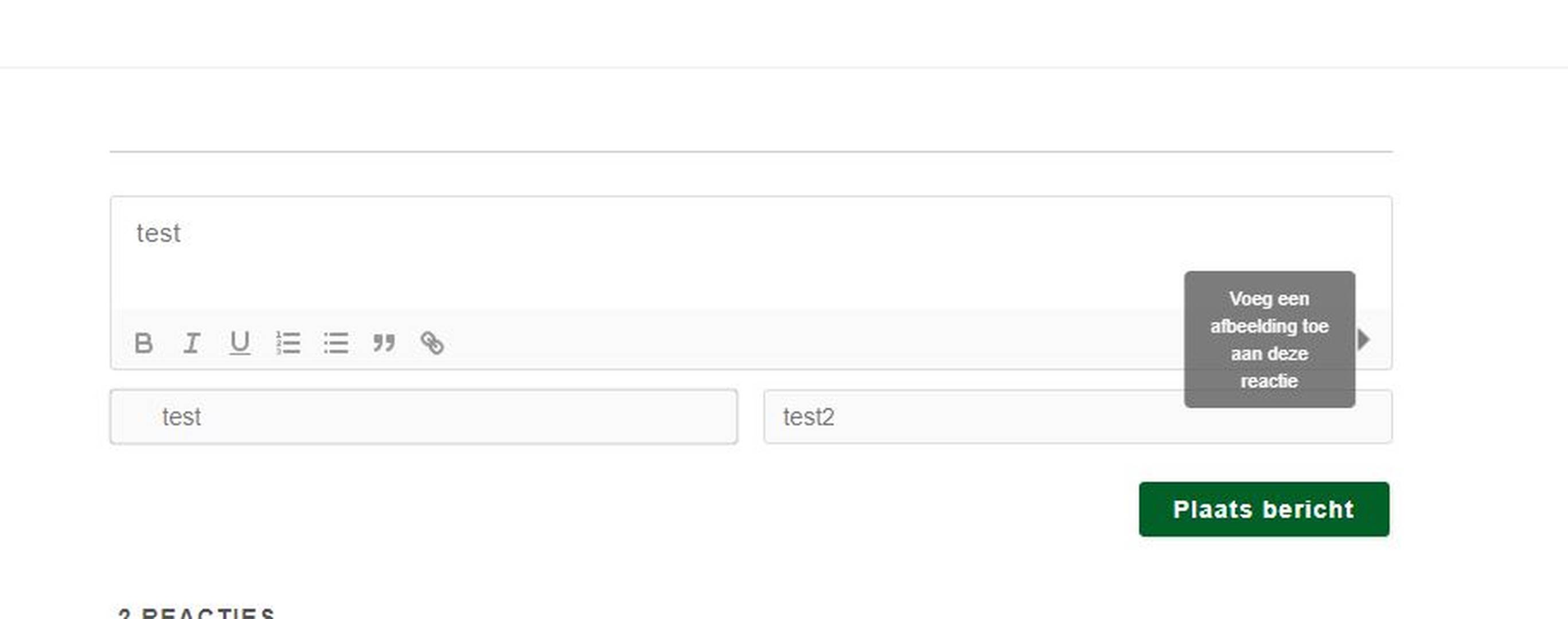
We just setup wpdiscuz; but it seems the image upload icon is not showing, only the guiding text if I hover over it. So neither admin or guest are able to upload anything. Any idea? (url)
Please navigate to Dashboard > wpDiscuz > Settings > Styles & Colors admin page make sure the "Load Font Awesome CSS Lib" option is enabled.
In case you want to say thank you! 🙂 We'd really appreciate if you leave a good review on the plugin page. This is the best way to say thank you to this project and the support team.
Please leave some example URL to allow us to check the issue.
In case you want to say thank you! 🙂 We'd really appreciate if you leave a good review on the plugin page. This is the best way to say thank you to this project and the support team.
Important: the default "Attach an image" button is only available for the post, pages, and attachments post types, and for default WordPress user roles. For custom post types and custom user roles, the button is not accessible. For more advanced features, we recommend to check out the wpDiscuz Media Uploader add-on.
In case you want to say thank you! 🙂 We'd really appreciate if you leave a good review on the plugin page. This is the best way to say thank you to this project and the support team.
Yes, the addon works for the custom post type. Besides, it works with Single and Multiple file uploading modes, there are also many advantages of using the addon.
In case you want to say thank you! 🙂 We'd really appreciate if you leave a good review on the plugin page. This is the best way to say thank you to this project and the support team.
Change the red marked part with the icon class you want to use.
Please note all questions related to paid addons should be asked in the gVectors.com forum. Here we only support issues related to free wpDiscuz plugin.
In case you want to say thank you! 🙂 We'd really appreciate if you leave a good review on the plugin page. This is the best way to say thank you to this project and the support team.