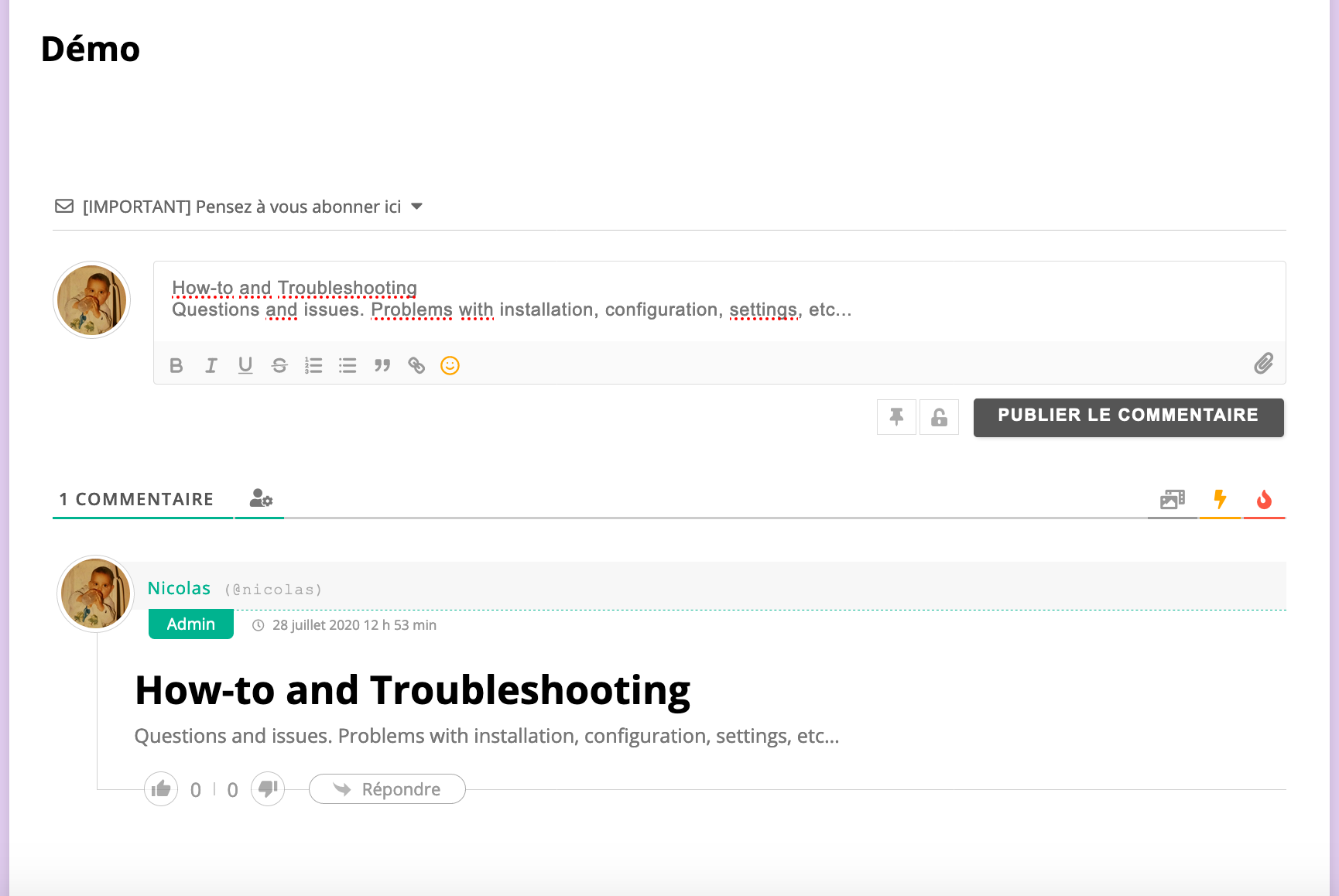
When a user makes a copy and paste of a text in the writing of a comment. The original formatting of the text is preserved (see example in PJ with for example the title of this forum).
The problem is that you can only see the result after publication.
The ideal would be to cancel all formatting when pasting a text, is this possible?
wpDiscuz uses the Quill editor, and this is quill editor working logic. You should use the CTRL+Shft+V shortcut to avoid pasting the text with formatting.
In case you want to say thank you! 🙂 We'd really appreciate if you leave a good review on the plugin page. This is the best way to say thank you to this project and the support team.
Okay, I understand, and I didn't know CTRL+Shft+V! Thank you!
So there's no other solution to keep the Rich editor but not the format when pasting, automatically?
The problem is that many users copy and paste formatted text, and it makes completely distorted comments. Also the Roch editor does not offer to decrease or increase the size of the letters, so how can the user make his text "clean" by himself? Especially since he has to publish the comment to see the formatting! (we don't see it when we write the comment).
Do you understand the problem this can generate?
Moreover, on your article it is written this: " These two addons add new toolbar buttons for selecting "Emojis", "Stickers", "Users" "
What do you mean for the "Users" button? I don't see it anywhere.
Thank you
PS: How do I get the same formatting choices as you (see attachment)?