

Hello, as you can see here, I'm having the same problem presented here.
I tried everything in the mentioned thread but couldn't get it to work.
Can I have some help from you?
Thank you!

Hello, as you can see here, I'm having the same problem presented here.
I tried everything in the mentioned thread but couldn't get it to work.
Can I have some help from you?
Thank you!
In case you want to say thank you! 🙂
We'd really appreciate if you leave a good review on the plugin page.
This is the best way to say thank you to this project and the support team.
For sure.
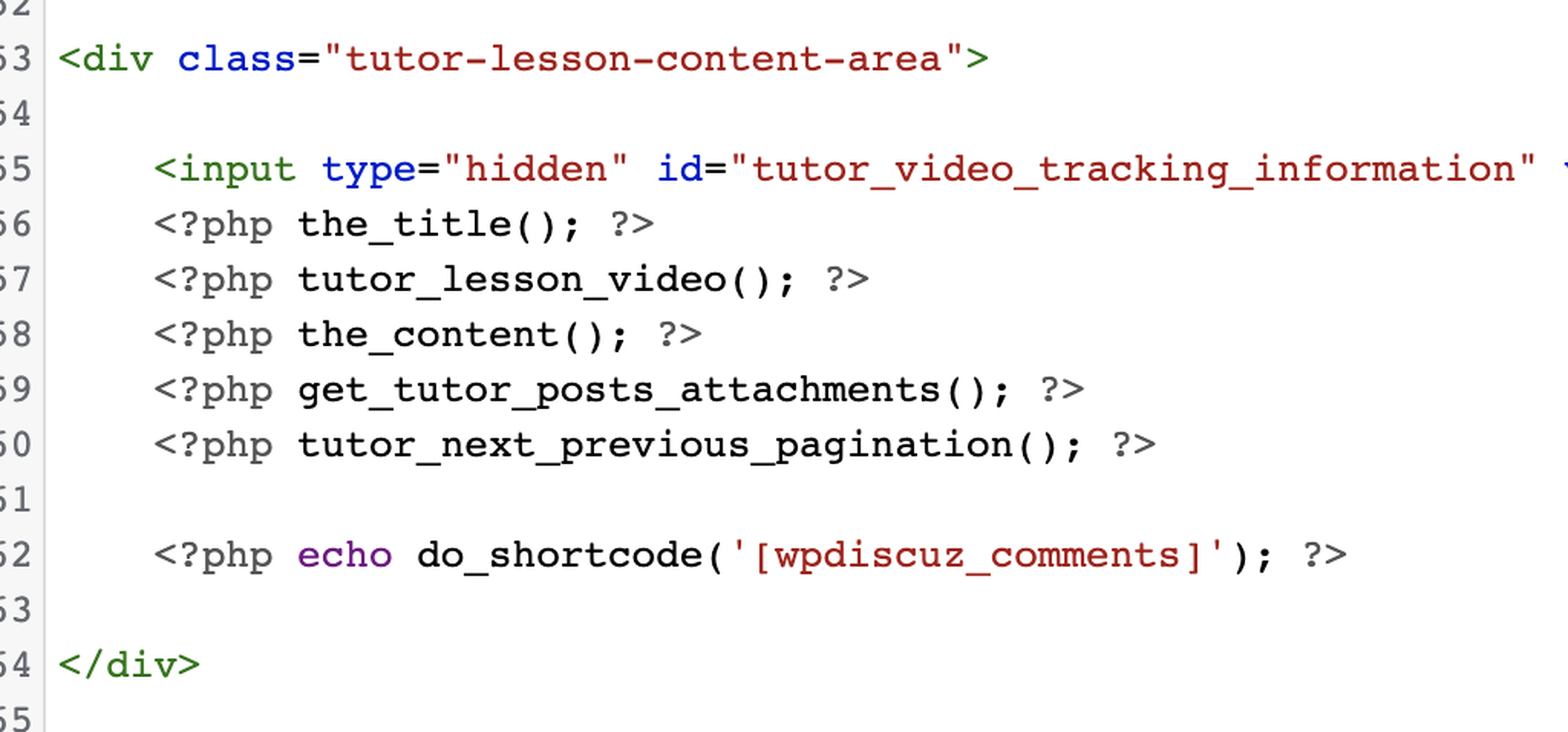
I updated the functions.php, the content.php from tutor and the conf in the form.
Thank you!



Your WordPress theme footer php file (for this custom post type) must contain <?php wp_footer(); ?> function to allow all plugins load JS files and scripts.
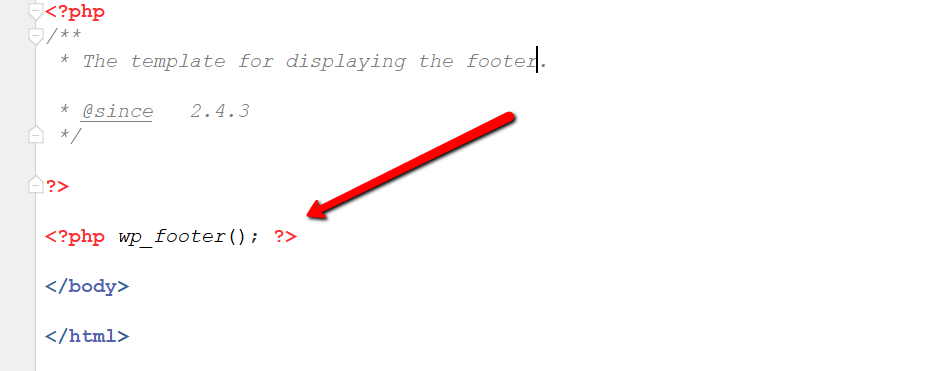
Please check and make sure it exists.
In case you want to say thank you! 🙂
We'd really appreciate if you leave a good review on the plugin page.
This is the best way to say thank you to this project and the support team.
@asti It does load the footer.
Could you please send the admin login details to info[at]gvectors.com email address?
I'll ask the developers to check the issue for you.
In case you want to say thank you! 🙂
We'd really appreciate if you leave a good review on the plugin page.
This is the best way to say thank you to this project and the support team.
In case you want to say thank you! 🙂
We'd really appreciate if you leave a good review on the plugin page.
This is the best way to say thank you to this project and the support team.
Ok we've found the email. We'll check and back to you asap.
In case you want to say thank you! 🙂
We'd really appreciate if you leave a good review on the plugin page.
This is the best way to say thank you to this project and the support team.
We've found the reason for the issue. One of the active plugins or a theme blocks the comments_open() property.
We've added the following hook code in the active theme functions.php file:
add_filter('comments_open', function ($open, $post_id) {
    if (get_post_type($post_id) === 'lesson') {
        $open = true;
    }
    return $open;
}, 999, 2);
It solves the issue.
You can either keep the code or try to find the problem maker by disabling the theme/plugins one by one.
In case you want to say thank you! 🙂
We'd really appreciate if you leave a good review on the plugin page.
This is the best way to say thank you to this project and the support team.
@asti Great! Thank you ver much for your help.
Hi @alejandrogm can you please guide me how to install wpdiscuz in my tutorlms site as well. I will very much appricate it.
@dwilson sure:
1. Install the plugin
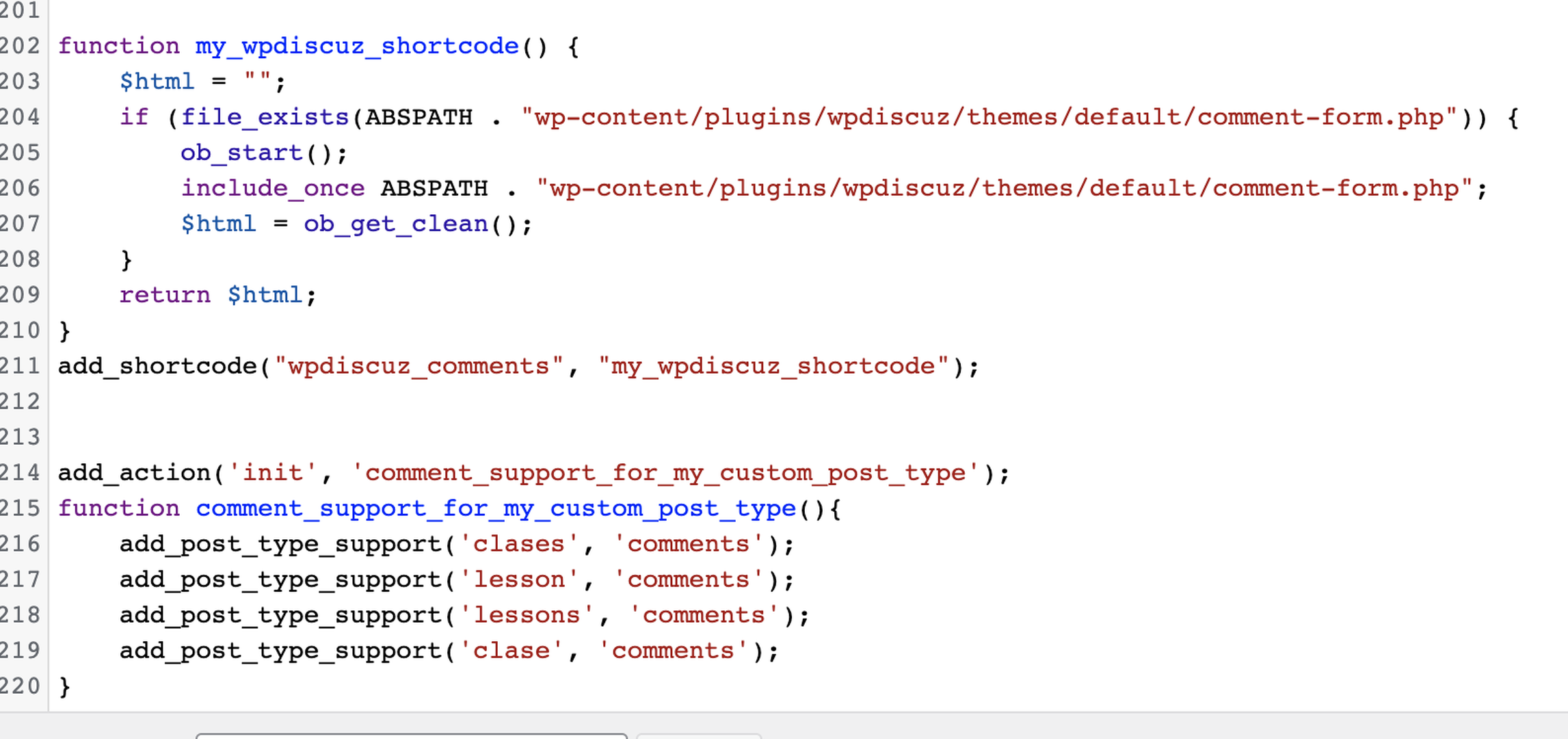
2. Go to the functions.php on your theme and add
function my_wpdiscuz_shortcode() {
    $html = "";
    if (file_exists(ABSPATH . "wp-content/plugins/wpdiscuz/themes/default/comment-form.php")) {
        ob_start();
        include_once ABSPATH . "wp-content/plugins/wpdiscuz/themes/default/comment-form.php";
        $html = ob_get_clean();
    }
    return $html;
}
add_shortcode("wpdiscuz_comments", "my_wpdiscuz_shortcode");


add_action('init', 'comment_support_for_my_custom_post_type');
function comment_support_for_my_custom_post_type(){
	add_post_type_support('lesson', 'comments');
}

add_filter('comments_open', function ($open, $post_id) {
    if (get_post_type($post_id) === 'lesson') {
        $open = true;
    }
    return $open;
}, 999, 2);
3. Create a child theme of tutor inside your theme
4. To add comments on the preview of lessons on your child theme go to /tutor/single-preview-lesson.php and to add only in private lessons go to /tutor/single/lesson/content.php
and after <?php tutor_next_previous_pagination(); ?> add:
<?php echo do_shortcode('[wpdiscuz_comments]'); ?>
That's it.
Hope it works.

@alejandrogm Hi! How are you?
I followed the steps, but I don't know what I'm doing wrong.
I attach a photo. Can you help me please?

Please navigate to Dashboard > wpDiscuz > Forms admin page, edit the form, and make sure the "Display comment form for post types" option is enabled for the post types.
In case you want to say thank you! 🙂
We'd really appreciate if you leave a good review on the plugin page.
This is the best way to say thank you to this project and the support team.