

Hi, I installed damo for testing before buying and I have a problem, css styles? - They probably don't match my theme. Is there a way to fix this because I like the plugin?
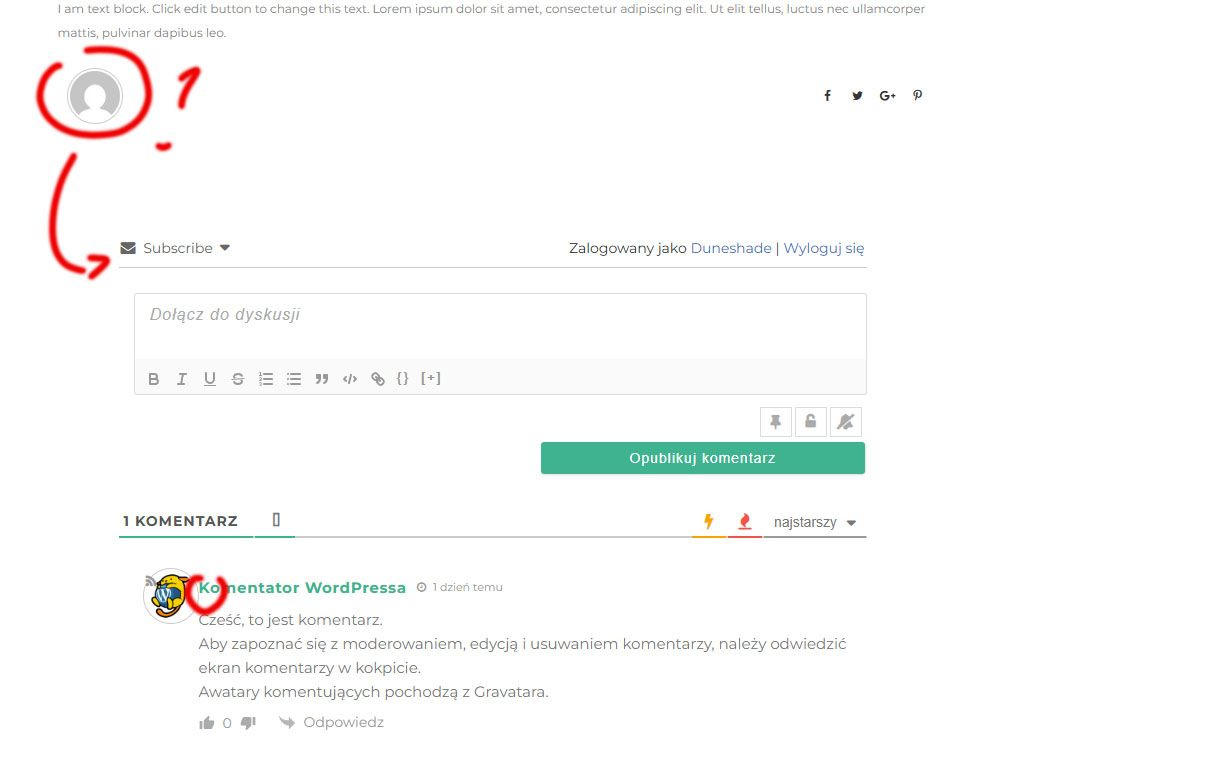

Hi, I installed damo for testing before buying and I have a problem, css styles? - They probably don't match my theme. Is there a way to fix this because I like the plugin?
Hi @t4ngo,
This is just a small CSS conflict with the theme or other plugins. Please leave the example URL where we can see the wpDiscuz plugin activated to allow us to debug the issue and provide a solution for you.
In case you want to say thank you! 🙂
We'd really appreciate if you leave a good review on the plugin page.
This is the best way to say thank you to this project and the support team.
@asti Thank you, I'm only linking to the page with the theme and your plugin installed.
Please tell me if I saw correctly that I can set badges in the paid version? (the commenter can earn badges for commented content)

Please use the CSS code below:
#wpdcom .wpd-avatar img {position:static !important;}
Insert the code in the "Custom CSS code" textarea, located in the Dashboard > wpDiscuz > Settings > Styles & Colors admin page.
Don't forget to delete all caches before checking.
Please tell me if I saw correctly that I can set badges in the paid version? (the commenter can earn badges for commented content)
Please note that the wpDiscuz plugin does not have a paid version, only add-ons. You can find all add-ons here: https://gvectors.com/product-category/wpdiscuz/
In case you want to say thank you! 🙂
We'd really appreciate if you leave a good review on the plugin page.
This is the best way to say thank you to this project and the support team.

Thank you, it worked. I provide which accessories to buy. But it turns out that the basics and the add-on will be useful: Addons Basic Bundle and...
wpDiscuz – BuddyPress Integration - Is it possible with this plugin to allow users to upload their own profile picture, which will be displayed next to their comments ?
All settings related to avatar uploading can be found and managed in Dashboard > wpDiscuz > Settings > Comment Thread Features. More info here: https://wpdiscuz.com/docs/wpdiscuz-7/plugin-settings/comment-thread-features/#display-avatars.
wpDiscuz supports all profile plugins and custom avatars. Most avatar management plugins don’t have front-end avatar uploading options. The best alternative is to use profile plugins like BuddyPress, Ultimate Member, or forum plugins like wpForo, which provide full control over profile components.
So, there's no need to install the wpDiscuz – BuddyPress Integration add-on. It's enough to use an avatar uploading plugin that uses native WordPress functions and hooks.
In case you want to say thank you! 🙂
We'd really appreciate if you leave a good review on the plugin page.
This is the best way to say thank you to this project and the support team.
@asti I'm still testing, the Ultimate Member module is great (thank you). I've come across another problem. Does not display the icon. Do you think these are styles too?
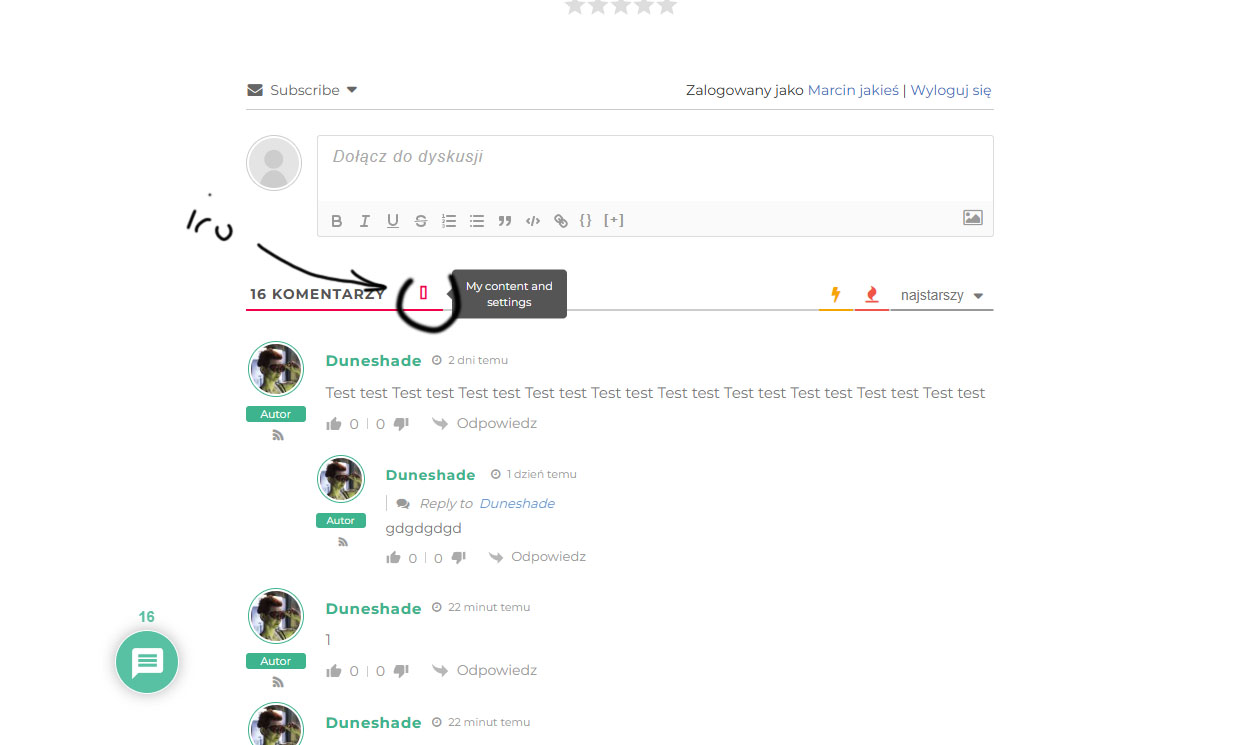
> https://junktownpath.pl/test/
Use the CSS code below to solve the conflict:
#wpdcom .fa, #wpdcom .far, #wpdcom .fas {
     font-family: "Font Awesome 5 Free" !important;
}
In case you want to say thank you! 🙂
We'd really appreciate if you leave a good review on the plugin page.
This is the best way to say thank you to this project and the support team.
@asti Thank you, it works. you are the best 🙂 very fast reply. now i am struggling with mycreed.
I’m marking this thread as resolved. Feel free to open a new topic if you have further questions.
In case you want to say thank you! 🙂
We'd really appreciate if you leave a good review on the plugin page.
This is the best way to say thank you to this project and the support team.
