After updating your plugin to V7.6.47 (loaded with a massive amount of security fixes), we can't get our comments to display any longer.
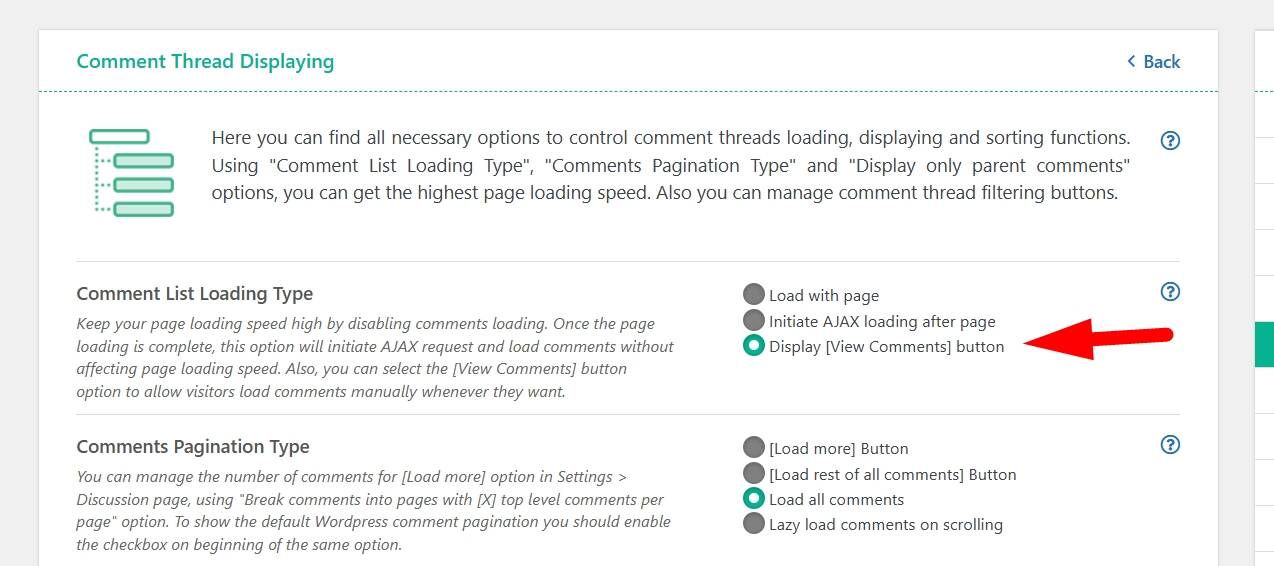
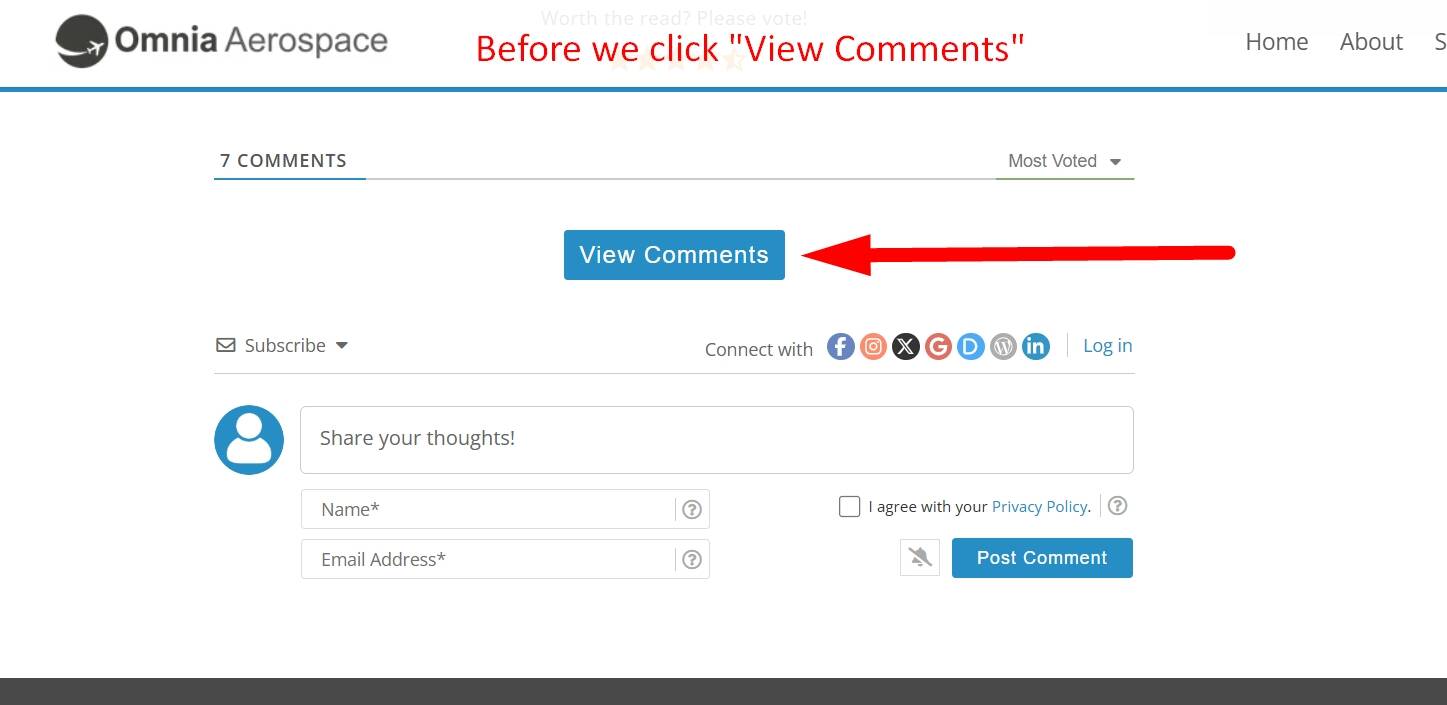
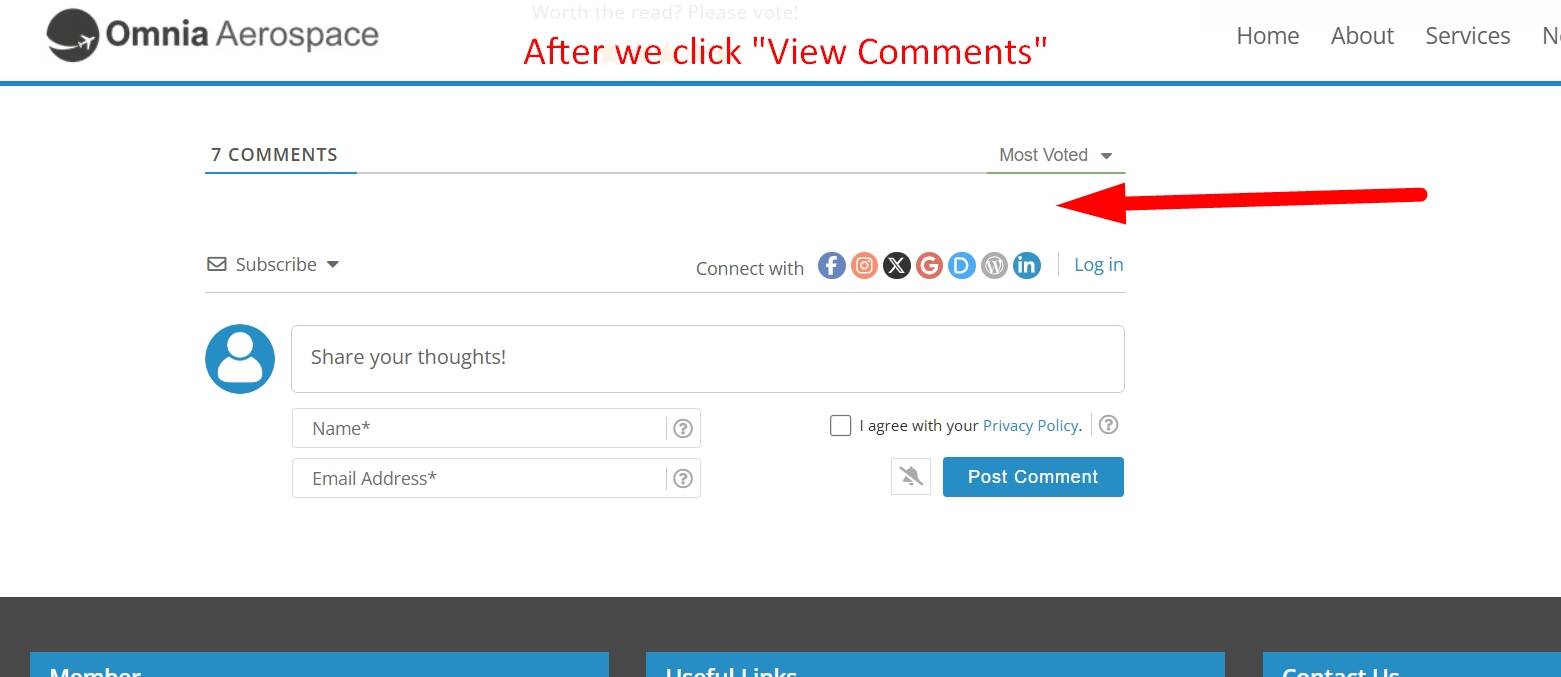
We're using the wpDiscuz setting, "Display [View Comments] button", when we click on "View Comments" nothing happens. Prior to the update, everything worked just fine. Yes, we cleared ALL cache layers after the update.
When logged in (backend), the comments display, but not when we're logged out. See below.
Please provide the direct URL where we can see the issue.
We see that you’ve also made some customizations. Please comment out the customizations and check again. The issue might be caused by the custom code you’ve added.
After conducting multiple tests, I can confirm that Version 7.6.47 of your plugin conflicts with our caching plugin, FlyingPress. Version 7.6.46 of your plugin did not.
It appears the issue is AJAX related. Clearing cache did not help (not even the solution suggested by @JanyLin).
So, my solution for now is to bypass caching of our Posts using the PHP code snippet provided below.
I highly recommend gVectors' developers look into this bug. It appears others have the same issue.
Thank you.
--------------------
Code Snippet for Bypassing Caching of Posts (FlyingPress Solution):
add_filter('flying_press_is_cacheable', function ($is_cacheable) {
if (is_single() && get_post_type() === 'post') {
return false;
}
return $is_cacheable;
});
Since I updated to version 7.6.47, my readers can no longer post comments; they receive a "nonce is invalid" error. i have cloudflare + APO cloudflare
I don't have this problem when I bypass Cloudflare by hardcoding my server's IP address in the hosts file.
The only solution I found was to roll back to version 7.6.46, and that resolved the issue temporarly. Readers were complaining about no longer being able to comment on articles.
I'm waiting for a solution in a future plugin update.
I can confirm my issue also occurs with Version 7.6.46 (excluding my temporary solution posted above).
Details:
When I click on "View Comments" for the first time (refer to above screenshots), the comments are not displayed. However if I refresh the post or click on "View Comments" of another post (after the first click), the comments appear. When I downgrade to Version 7.6.45, everything works perfect.
Note:
I've been using wpDiscuz for approximately eight years with no major issues (i.e., bugs) until gVectors introduced the recent "Security Fixes" and filters into its plugin. Our website environment did not change, except for the usual PHP and Cache plugin updates.
We kindly ask you to create a development/staging copy of your website on a subdomain and send the admin login details to info[at]gvectors.com so we can check the issue.
You can use theDuplicatorplugin to create the staging site.
As requested, were your developers able to recreate the issue I reportedd above? Please confirm with your developers.
Our team is 100% convinced there's an issue with you plugin (V7.6.46 and V7.6.47) when the "View Comments" setting is enabled. I explained everthing above. Our testing was extremely thorough.
@sea-odyssey has already sent the admin login details for the testing website. The developers will check the issue as soon as possible. I’ll update the topic once I receive a response from the development team.