The effects of alcohol on sustanon 250 leucine for – real weight loss & bodybuilding benefits?
Search
Close
AI Search
Classic Search
 Search Phrase:
 Search Type:
Advanced search options
 Search in Forums:
 Search in date period:

 Sort Search Results by:

AI Assistant
Problem loading com...
 
Share:
Notifications
Clear all

[Solved] Problem loading comments | + Sorting options

7 Posts
2 Users
0 Reactions
2,757 Views
Gabrieluno
Posts: 4
Topic starter
Translate
English
Spanish
French
German
Italian
Portuguese
Russian
Chinese
Japanese
Korean
Arabic
Hindi
Dutch
Polish
Turkish
Vietnamese
Thai
Swedish
Danish
Finnish
Norwegian
Czech
Hungarian
Romanian
Greek
Hebrew
Indonesian
Malay
Ukrainian
Bulgarian
Croatian
Slovak
Slovenian
Serbian
Lithuanian
Latvian
Estonian
(@gabrieluno)
Active Member
Joined: 4 years ago
[#3804]

Hi, I'm having trouble loading wpDiscuz with either the "Initiate AJAX loading after page" or "Display [View Comments] button" option.

I read the articles and tried it to the letter but there is no case, even disabling all the plugins and leaving only wpDiscuz and Elementor Pro.

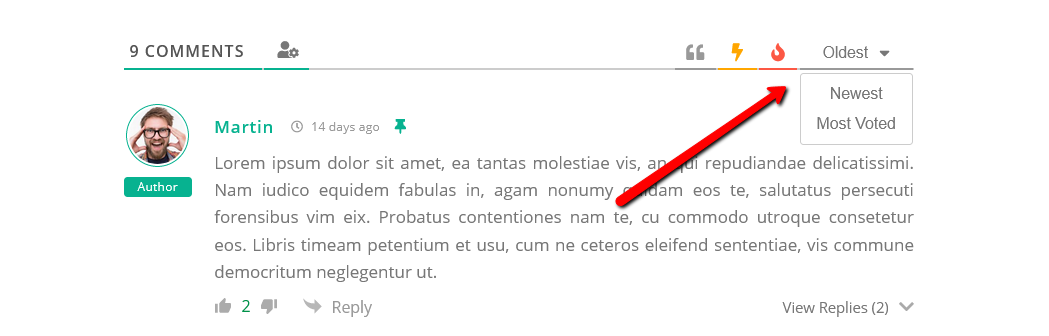
This not only affects the speed of the web but also brings another small problem, and that is that the "Display Comment Sorting Options" option has no effect. So it doesn't load the filters like for example the image below:

wpDiscuz 7 sorting buttons

.

I hope you can help me find a solution, since I'm analyzing whether to go for the Bundle from wpDiscuz but with this problem I shouldn't add too many addons either. Thanks in advance!


6 Replies
Asti
Posts: 8210
 Asti
Support
Translate
English
Spanish
French
German
Italian
Portuguese
Russian
Chinese
Japanese
Korean
Arabic
Hindi
Dutch
Polish
Turkish
Vietnamese
Thai
Swedish
Danish
Finnish
Norwegian
Czech
Hungarian
Romanian
Greek
Hebrew
Indonesian
Malay
Ukrainian
Bulgarian
Croatian
Slovak
Slovenian
Serbian
Lithuanian
Latvian
Estonian
(@asti)
Illustrious Member
Joined: 8 years ago

Hi Gabrieluno,

Please leave an example URL to allow us to check the issue. 

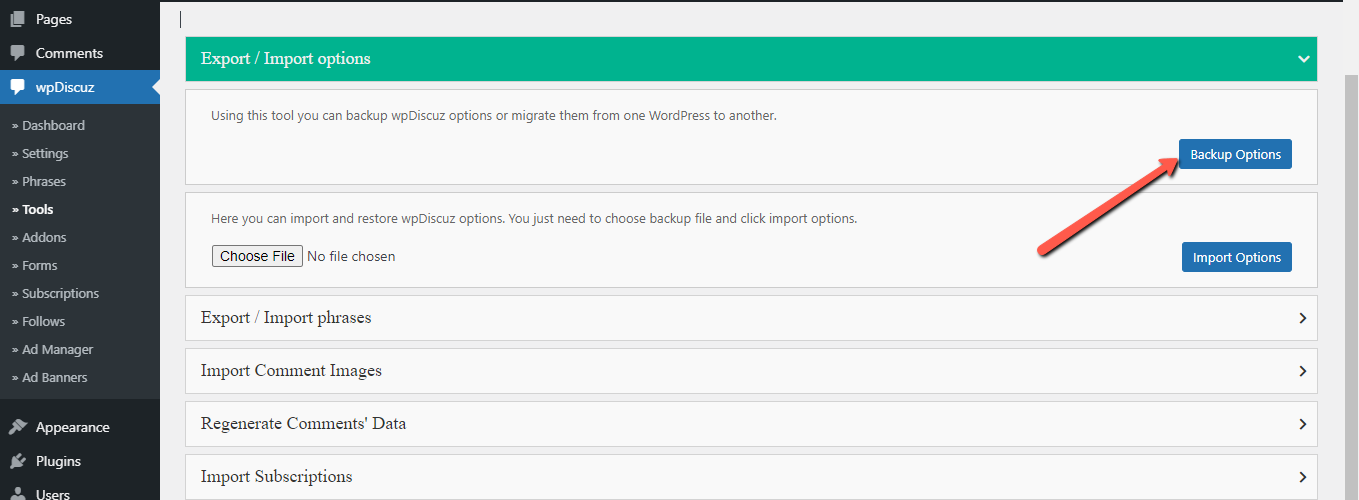
Also, please export the wpDiscuz options from the Dashboard > wpDiscuz > Tools > Backup Options and send it to us.

image


Reply
Gabrieluno
Posts: 4
Topic starter
Translate
English
Spanish
French
German
Italian
Portuguese
Russian
Chinese
Japanese
Korean
Arabic
Hindi
Dutch
Polish
Turkish
Vietnamese
Thai
Swedish
Danish
Finnish
Norwegian
Czech
Hungarian
Romanian
Greek
Hebrew
Indonesian
Malay
Ukrainian
Bulgarian
Croatian
Slovak
Slovenian
Serbian
Lithuanian
Latvian
Estonian
(@gabrieluno)
Active Member
Joined: 4 years ago

Done, also disable all plugins except wpDiscuz, Elementor, and Elementor Pro.

My theme is Hello, wpDiscuz is updated to the latest version, clear cache and disable cloudflare.

Url: https://megafull.org/noticias/test-wpdiscuz/

Backup: https://a.tmp.ninja/QudbPDAz.zip


Reply
4 Replies
Asti
 Asti
Support
(@asti)
Joined: 8 years ago

Illustrious Member
Posts: 8210
Translate
English
Spanish
French
German
Italian
Portuguese
Russian
Chinese
Japanese
Korean
Arabic
Hindi
Dutch
Polish
Turkish
Vietnamese
Thai
Swedish
Danish
Finnish
Norwegian
Czech
Hungarian
Romanian
Greek
Hebrew
Indonesian
Malay
Ukrainian
Bulgarian
Croatian
Slovak
Slovenian
Serbian
Lithuanian
Latvian
Estonian

@gabrieluno,

Currently, the comments are showing fine. Please watch this video: https://www.screencast.com/t/ecNGFCQ68g


Reply
Gabrieluno
(@gabrieluno)
Joined: 4 years ago

Active Member
Posts: 4
Gabrieluno
Translate
English
Spanish
French
German
Italian
Portuguese
Russian
Chinese
Japanese
Korean
Arabic
Hindi
Dutch
Polish
Turkish
Vietnamese
Thai
Swedish
Danish
Finnish
Norwegian
Czech
Hungarian
Romanian
Greek
Hebrew
Indonesian
Malay
Ukrainian
Bulgarian
Croatian
Slovak
Slovenian
Serbian
Lithuanian
Latvian
Estonian

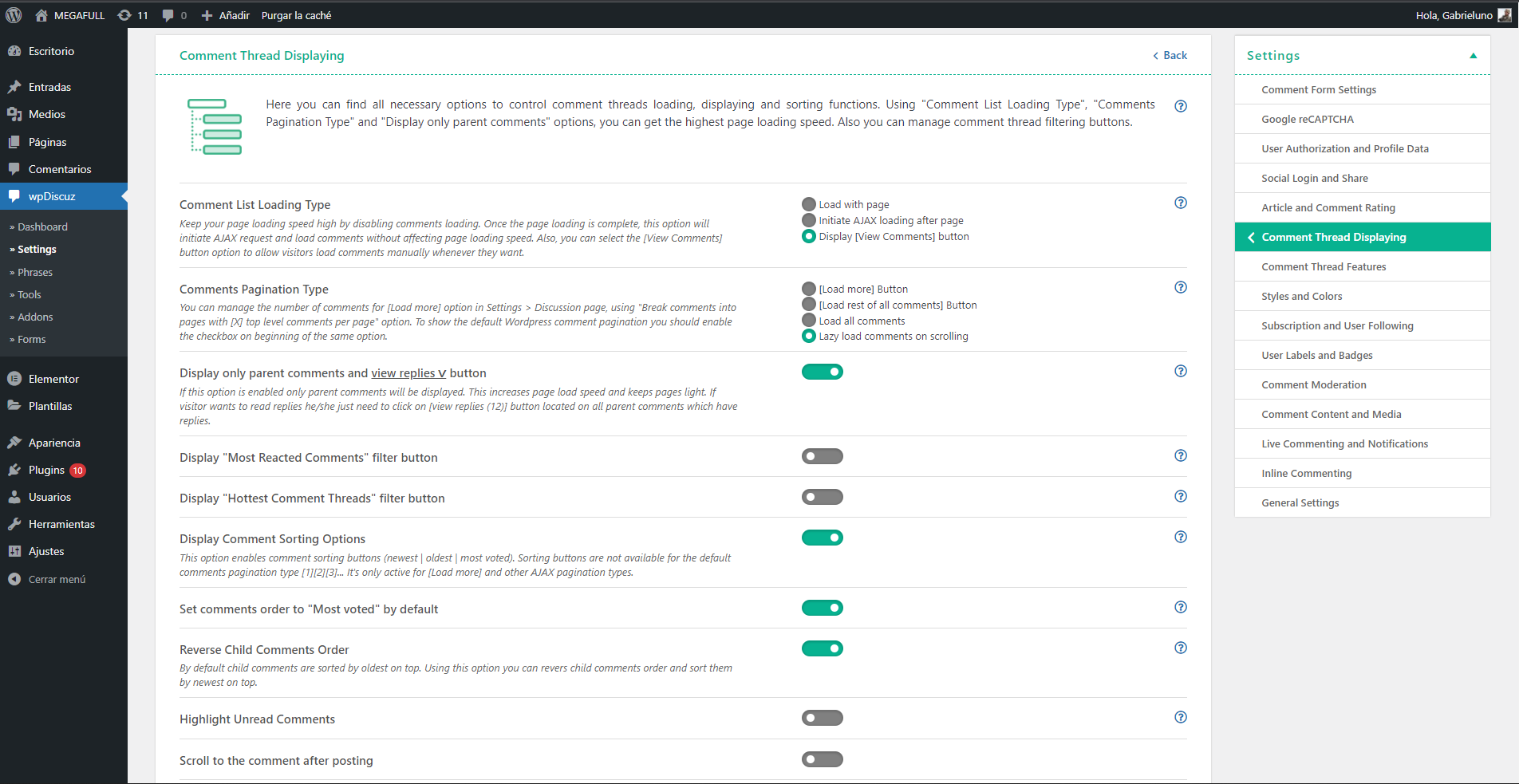
@asti If they are displayed, but it does not obey the initial load configuration as you will see in the image:

subir 123

I also tried the "Initiate AJAX loading after page" option, but it doesn't work either, it just keeps loading the comments from the beginning.

Therefore, the "Display Comment Sorting Options" option does not work either because it needs one of the previous configurations.

__________________________________________________________

Sorry to bother you but I can't fix it on my own, eternal thanks.


Reply
Asti
 Asti
Support
(@asti)
Joined: 8 years ago

Illustrious Member
Posts: 8210
Asti
Gabrieluno
Translate
English
Spanish
French
German
Italian
Portuguese
Russian
Chinese
Japanese
Korean
Arabic
Hindi
Dutch
Polish
Turkish
Vietnamese
Thai
Swedish
Danish
Finnish
Norwegian
Czech
Hungarian
Romanian
Greek
Hebrew
Indonesian
Malay
Ukrainian
Bulgarian
Croatian
Slovak
Slovenian
Serbian
Lithuanian
Latvian
Estonian

@gabrieluno,

Please send the admin login details to info[at]gvectors.com email address. I'll ask the developers to check the issue for you. 


Reply
Gabrieluno
(@gabrieluno)
Joined: 4 years ago

Active Member
Posts: 4
Gabrieluno
Asti
Gabrieluno
Translate
English
Spanish
French
German
Italian
Portuguese
Russian
Chinese
Japanese
Korean
Arabic
Hindi
Dutch
Polish
Turkish
Vietnamese
Thai
Swedish
Danish
Finnish
Norwegian
Czech
Hungarian
Romanian
Greek
Hebrew
Indonesian
Malay
Ukrainian
Bulgarian
Croatian
Slovak
Slovenian
Serbian
Lithuanian
Latvian
Estonian

Solve the problem, it was simply an error in my Wordpress configuration (I did not make any changes in the WpDiscuz configuration).

To solve it I went to Wordpress Settings > Discussion

Activate "Show comments cookies opt-in checkbox, allowing comment author cookies to be set" = Comment filters visible

Disable "Break comments into pages with" = View Comments button visible

Thanks WpDiscuz friends!


Reply
Share: