Hello! Please tell me, I have the same problem, your form works everywhere except for the web 2.0 directory page, I have included everything everywhere and the forms in the plugin and in the settings and in the articles themselves, but I see only the comments themselves, and there is no form to write a new one.
Please leave some example URL to allow us to check the issue.
In case you want to say thank you! 🙂 We'd really appreciate if you leave a good review on the plugin page. This is the best way to say thank you to this project and the support team.
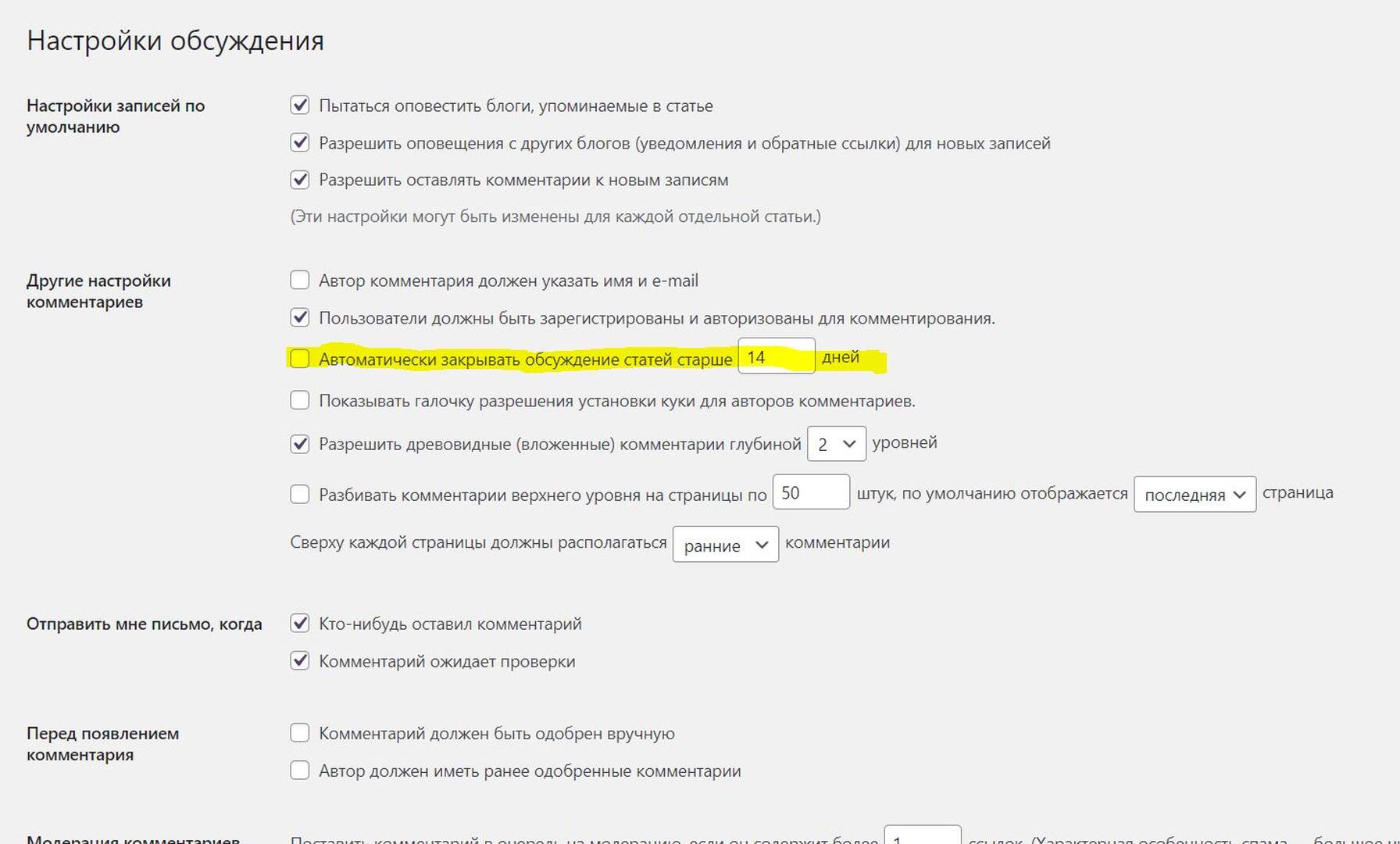
Please navigate to Dashboard > Settings > Discussion admin page, make sure the "Automatically close comments on posts older than X days" option is notenabled.
In case you want to say thank you! 🙂 We'd really appreciate if you leave a good review on the plugin page. This is the best way to say thank you to this project and the support team.
Could you please send the admin login details to info[at]gvectors.com email address? I'll ask the developers to check the issue for you.
In case you want to say thank you! 🙂 We'd really appreciate if you leave a good review on the plugin page. This is the best way to say thank you to this project and the support team.
ok @ardoms, thank you. We'll check and back to you asap.
In case you want to say thank you! 🙂 We'd really appreciate if you leave a good review on the plugin page. This is the best way to say thank you to this project and the support team.
The issue is fixed by our developers. One of the active plugins or a theme blocks the comments_open() property.
We've added the following hook code in the active theme functions.php file:
add_filter('comments_open', function ($open, $post_id) {
    if (get_post_type($post_id) === 'w2dc_listing') {
        $open = true;
    }
    return $open;
}, 99999, 2);
In case you want to say thank you! 🙂 We'd really appreciate if you leave a good review on the plugin page. This is the best way to say thank you to this project and the support team.
WOW! Super!!! Thank you very much)))) You are the best developers and you have an excellent support service! Now I will definitely put Like and 5 * stars
In case you want to say thank you! 🙂 We'd really appreciate if you leave a good review on the plugin page. This is the best way to say thank you to this project and the support team.