Hi I need your help, maybe i've done something wrong, but the "Notification of new replies to this comment" isn't working. the subscriber who first left a comment gets an email, but not getting one when an Author are replying him. can you please help me fix it?
we've checked the server and the emails are working and going fine through there, so the server isn't the problem. I need your help please.
oh and another thing - can I remove this bar? this subscribe bar that allowing the users on my site to choose their notification?
I want them to be needed a subscription to post a comment and getting notification by mail when i'm replying to them, all the rest- visually - as clean as I can get.
Please register some new testing user and send the user's login details to info[at]gvectors.com email address to allow us to check the issue. Currently, we cannot test it as far as only registered users can post a comment.
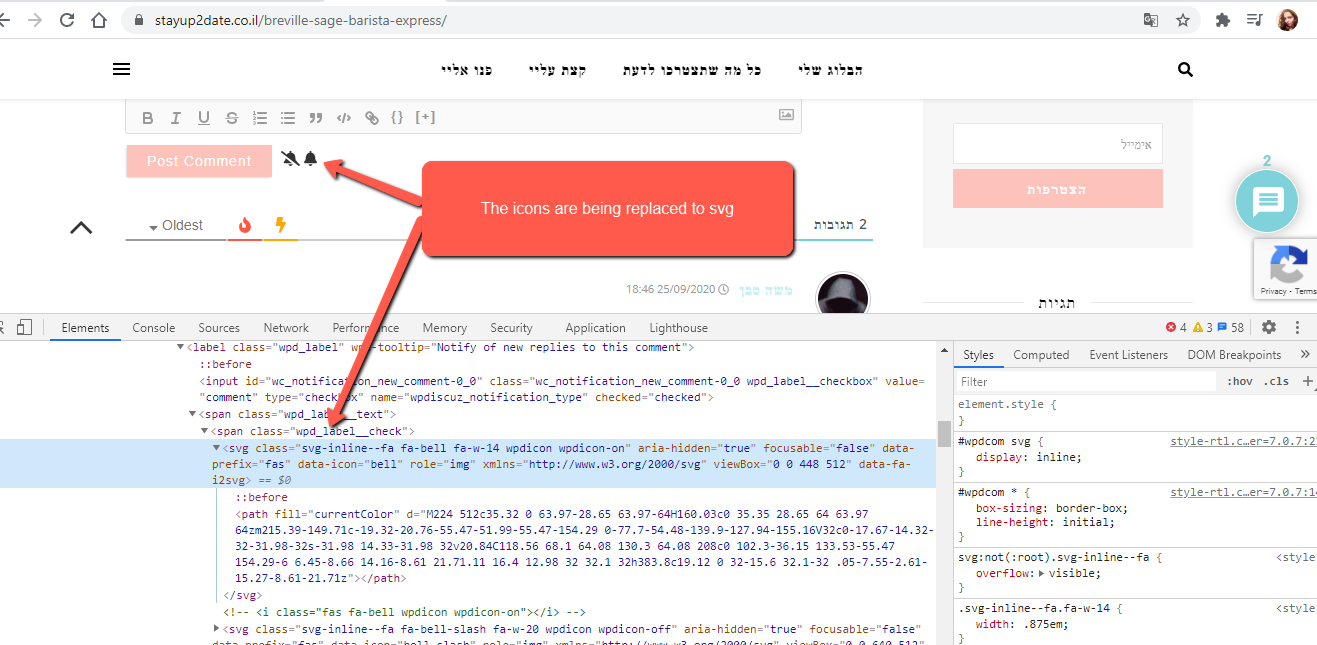
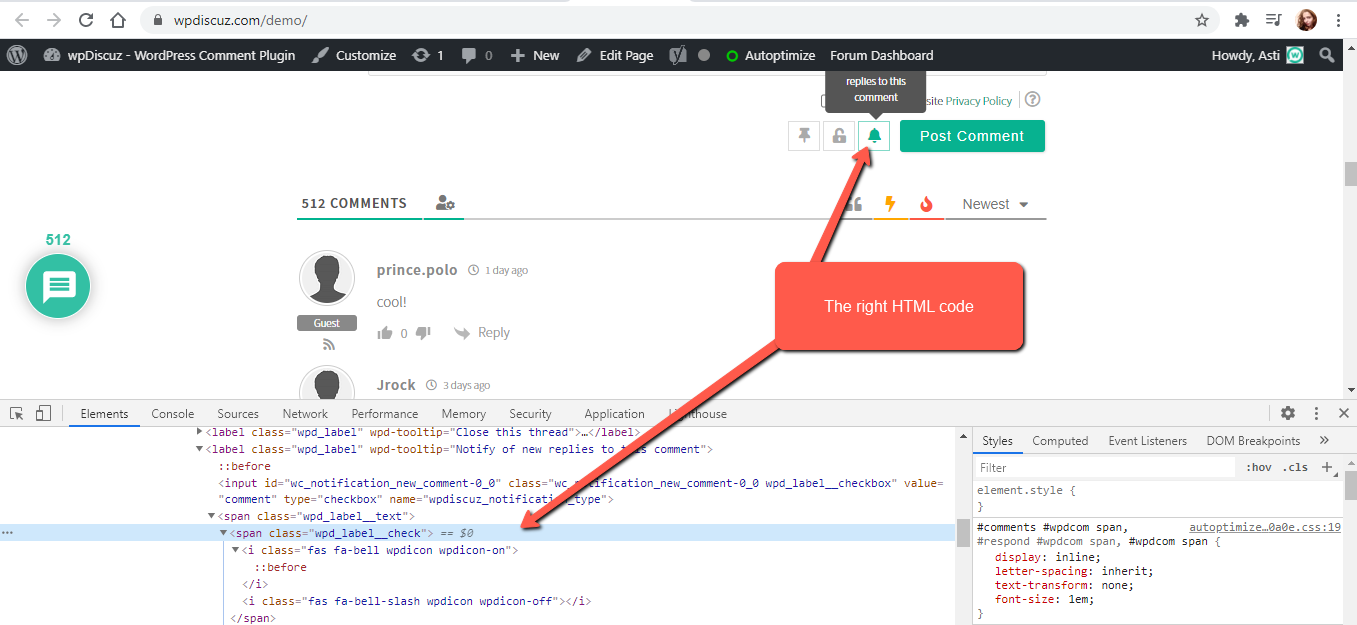
One of the active plugins or the theme changes all Font awesome icons to SVG thus the click function doesn't work. You should deactivate the plugins one by one/switch some other theme and check after each deactivation to find a problem maker.
@asti Hi after a long and deep checking, it looks like my website template is the one that are causing the problems. the theme name is "Ashe pro". do you have a solution for me?
@asti Hey 🙂 need your help once again before i'm giving up totally!
so I have been contacted the theme support and this is their answer:
We checked the source codes and the scripts are not belong to the theme so theme cant change or add any SVG icons independently, so it means that, these icons are coming from the external sources, 3rd party plugins for example, and as we see from the loaded codes, this icon belong to wc_social_plugin
I answered them this
i’ve been checking this myself, the problem is probably causing from the file custom-plugins.js that adds on the Font Awesome Free 5.9.0 by @fontawesome and runs over the ws_social_plugin that is coming from the wpdiscuz plugin.
and this is their last reply
Latest FontAwesome converts old markup to SVG, if icons are not displayed on your website you should ask plugin developers to update a FontAwesome in their plugin to the latest version. We are running an updated version which generates “Right HTML” “” markup is outdated.