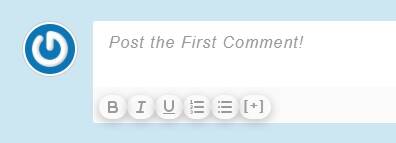
I'm looking at the comment box on this forum, under each post. The default comment box on my site is shorter and has the formatting toolbar at the bottom. Is that something you did with css? Or am I able to set mine up like yours?
This is the wpForo forum plugin. It is used for providing support. You can see how wpDiscuz looks and works here: https://wpdiscuz.com/demo/
In case you want to say thank you! 🙂 We'd really appreciate if you leave a good review on the plugin page. This is the best way to say thank you to this project and the support team.
Mine doesn't quite look like that either. The difference being that the formatting toolbar in that one is nice and clean, whereas the toolbar in mine is shown in little bubbles.
In other words, the bold button is a bubble, the list button is a bubble. How do I make the toolbar plain at least?
This may is just a CSS issue with the theme or other plugins. The CSS codes of the active theme/plugins change the CSS styles of the wpDiscuz buttons. Please leave some example URL we'll try to help you with the issue.
In case you want to say thank you! 🙂 We'd really appreciate if you leave a good review on the plugin page. This is the best way to say thank you to this project and the support team.
Put the code in the Top Admin Bar > Customize > Additional CSS > "Additional CSS" textarea, save it, delete all caches and check again.
please remove the link from this post when you've visited the site.
Sure the URL is already removed.
In case you want to say thank you! 🙂 We'd really appreciate if you leave a good review on the plugin page. This is the best way to say thank you to this project and the support team.