


Search
Close
AI Search
Classic Search
Notifications
Clear all
Topic starter
Translate
▼
English
Spanish
French
German
Italian
Portuguese
Russian
Chinese
Japanese
Korean
Arabic
Hindi
Dutch
Polish
Turkish
Vietnamese
Thai
Swedish
Danish
Finnish
Norwegian
Czech
Hungarian
Romanian
Greek
Hebrew
Indonesian
Malay
Ukrainian
Bulgarian
Croatian
Slovak
Slovenian
Serbian
Lithuanian
Latvian
Estonian
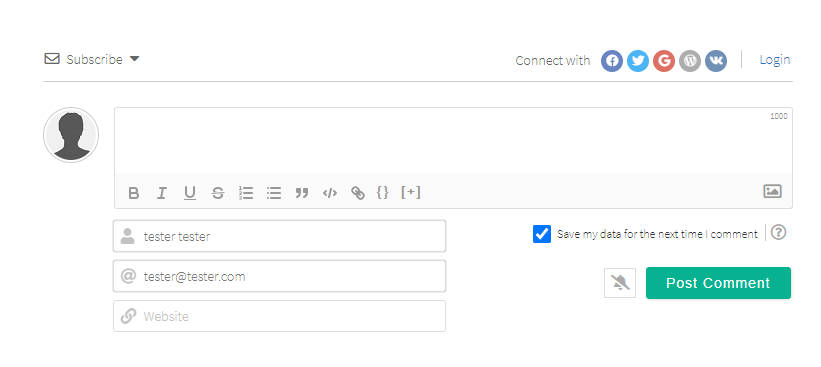
Hello: How can I get WpDiscuz to have comment entry as in the demo? Upon my install the user must login before entering comments, in the demo, the comment box is open and once an entry is made the visitor can enter their contact info.
Thanks!
Posted : 22/11/2021 6:42 pm
Translate
▼
English
Spanish
French
German
Italian
Portuguese
Russian
Chinese
Japanese
Korean
Arabic
Hindi
Dutch
Polish
Turkish
Vietnamese
Thai
Swedish
Danish
Finnish
Norwegian
Czech
Hungarian
Romanian
Greek
Hebrew
Indonesian
Malay
Ukrainian
Bulgarian
Croatian
Slovak
Slovenian
Serbian
Lithuanian
Latvian
Estonian

Hi @kt123,
Please navigate to Dashboard > wpDiscuz > Forms admin page, edit the form and enable the "Allow guests to comment" option. More info here: https://wpdiscuz.com/docs/wpdiscuz-7/getting-started/manage-comment-forms/comment-form-settings/#only-loggedin
In case you want to say thank you! 🙂
We'd really appreciate if you leave a good review on the plugin page.
This is the best way to say thank you to this project and the support team.
Posted : 22/11/2021 6:50 pm


