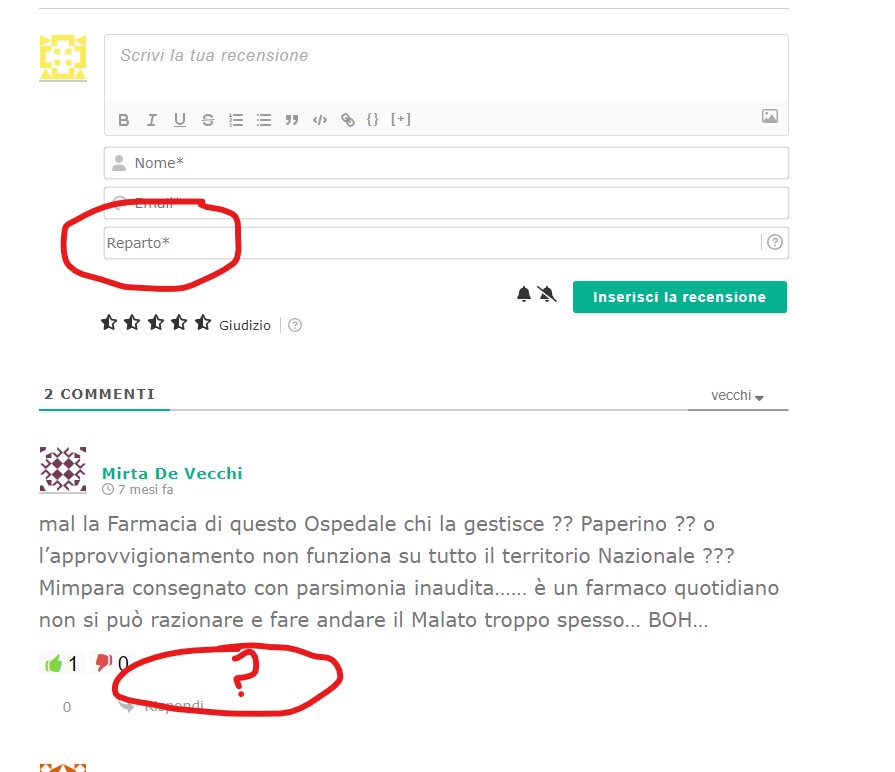
We don't see the wpDiscuz plugin activated on the page you've provided.
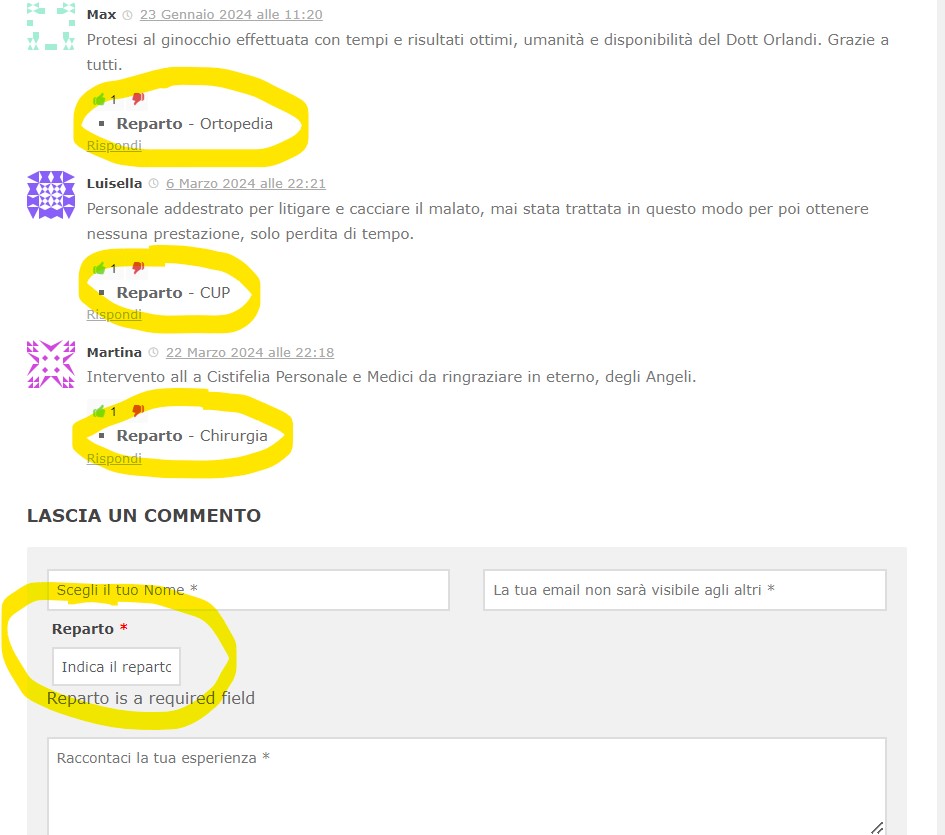
How can I enable to show it in every posted comment like an additional field under it?
Could you please rephrase your question.
In case you want to say thank you! 🙂 We'd really appreciate if you leave a good review on the plugin page. This is the best way to say thank you to this project and the support team.
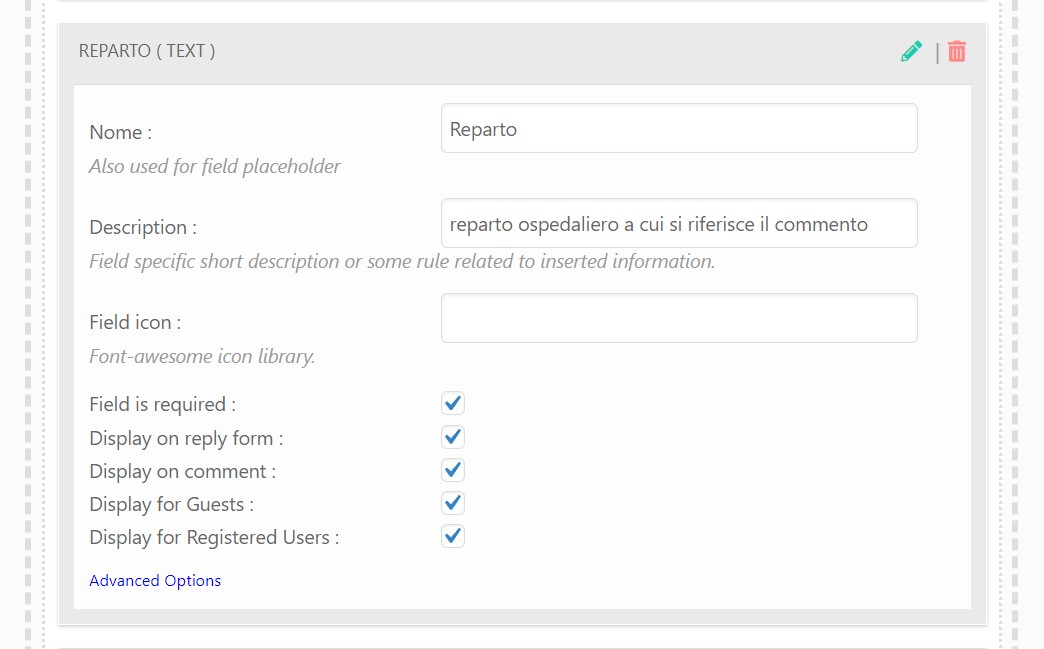
Please edit the custom field you've created and make sure the following checkboxes are enabled:
Display on comment
Display for Guests
Display for Registered Users
In case you want to say thank you! 🙂 We'd really appreciate if you leave a good review on the plugin page. This is the best way to say thank you to this project and the support team.
Please leave the direct URL to the page where we can see the comments.
In case you want to say thank you! 🙂 We'd really appreciate if you leave a good review on the plugin page. This is the best way to say thank you to this project and the support team.
Have you made any customizations with the wpDiscuz plugin? Please let us know.
We've noticed that some elements don't belong to the wpDiscuz plugin. Please watch the video attached below for more information.
In case you want to say thank you! 🙂 We'd really appreciate if you leave a good review on the plugin page. This is the best way to say thank you to this project and the support team.
Please delete all kinds of caches as far as those buttons are still visible.
In case you want to say thank you! 🙂 We'd really appreciate if you leave a good review on the plugin page. This is the best way to say thank you to this project and the support team.
We are unable to post a comment on your website due to a conflict.
Please watch the video that demonstrates the issue:
To resolve this, deactivate the plugins/theme one by one and check after each deactivation to pinpoint the source of the problem. Begin with any plugins that were recently installed or updated.
Keep the cache plugin (if applicable) deactivated throughout the testing process.
Remember to press Ctrl+F5 twice on the frontend before each check.
In case you want to say thank you! 🙂 We'd really appreciate if you leave a good review on the plugin page. This is the best way to say thank you to this project and the support team.
@asti The problem was in your rating system, infact now it's not working. REPARTO field is showed now, even if for new comments only, but this is not big problem. Can you help me about rating system not working please.
As I've already mentioned the wpDiscuz rating doesn't work due to the conflict with the theme or other plugins.
Please read my answer here:
To resolve this, deactivate the plugins/theme one by one and check after each deactivation to pinpoint the source of the problem. Begin with any plugins that were recently installed or updated.
Keep the cache plugin (if applicable) deactivated throughout the testing process.
Remember to press Ctrl+F5 twice on the frontend before each check.
In case you want to say thank you! 🙂 We'd really appreciate if you leave a good review on the plugin page. This is the best way to say thank you to this project and the support team.