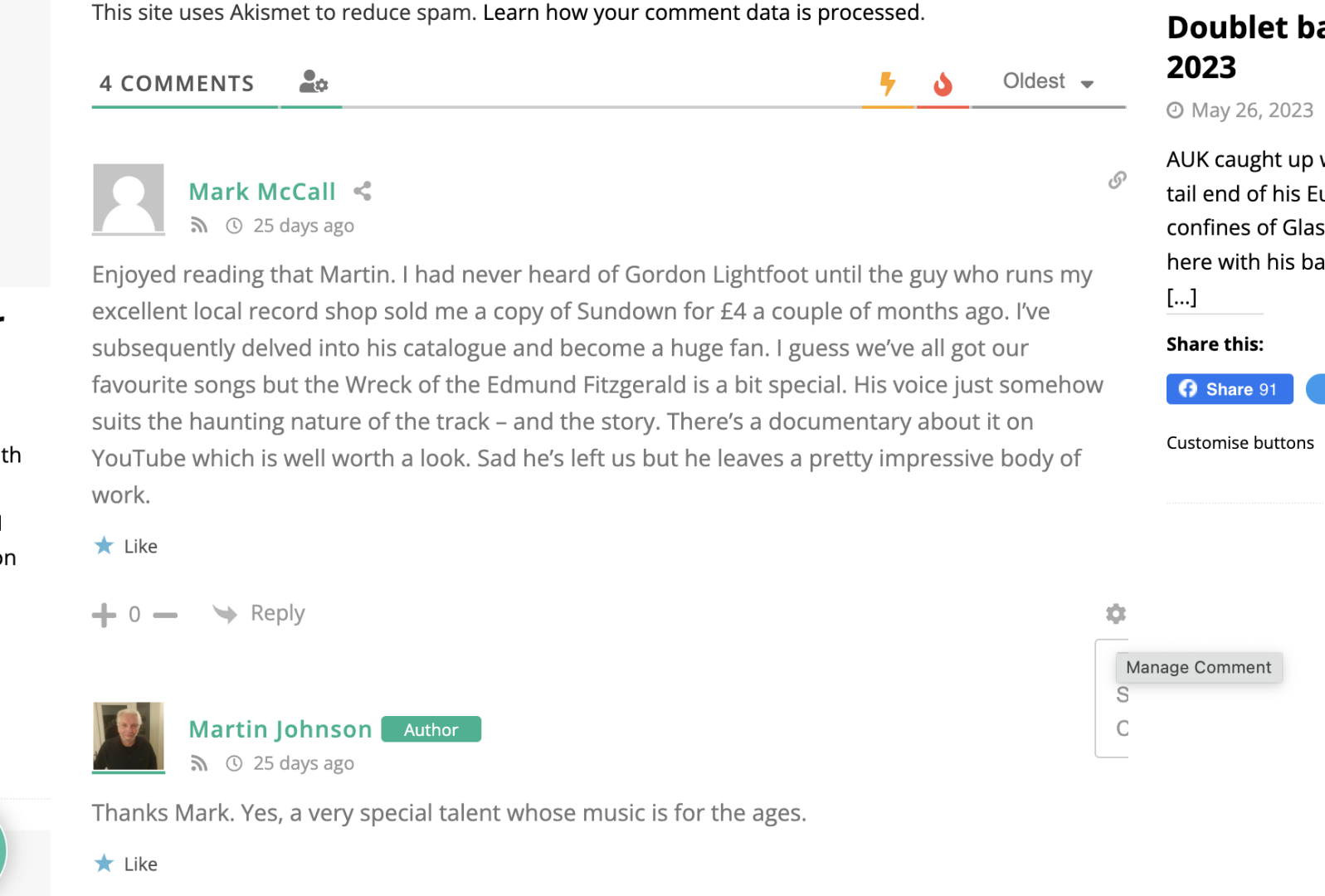
Hi all. I installed the plugin recently but noticed that there are big gaps of blank space between comments, and also the comment options are truncated. See this for example: https://americana-uk.com/the-song-remains-gordon-lightfoot-1938-2023 Just wondered of there's anything I can do to fix this? Thanks everyone.
In case you want to say thank you! 🙂 We'd really appreciate if you leave a good review on the plugin page. This is the best way to say thank you to this project and the support team.
That's great thanks, that fixes the issue with spaces. With the other issue where the mange comment options from the cog icon are truncated down to just their first character, is there anything I can do to fix that?
With the other issue where the mange comment options from the cog icon are truncated down to just their first character, is there anything I can do to fix that?
Please explain using some screenshots.
In case you want to say thank you! 🙂 We'd really appreciate if you leave a good review on the plugin page. This is the best way to say thank you to this project and the support team.
In case you want to say thank you! 🙂 We'd really appreciate if you leave a good review on the plugin page. This is the best way to say thank you to this project and the support team.