The effects of alcohol on
sustanon 250 leucine for – real weight loss & bodybuilding benefits?
Multiple Inline Comments (short comments) on thumbnail gallery
✦
✦
✦
AI is analyzing the discussion...
Translate
▼
English
Spanish
French
German
Italian
Portuguese
Russian
Chinese
Japanese
Korean
Arabic
Hindi
Dutch
Polish
Turkish
Vietnamese
Thai
Swedish
Danish
Finnish
Norwegian
Czech
Hungarian
Romanian
Greek
Hebrew
Indonesian
Malay
Ukrainian
Bulgarian
Croatian
Slovak
Slovenian
Serbian
Lithuanian
Latvian
Estonian
Show original
Translating...
Jan 13, 2021 1:04 pm
(@xhide00)
Active Member
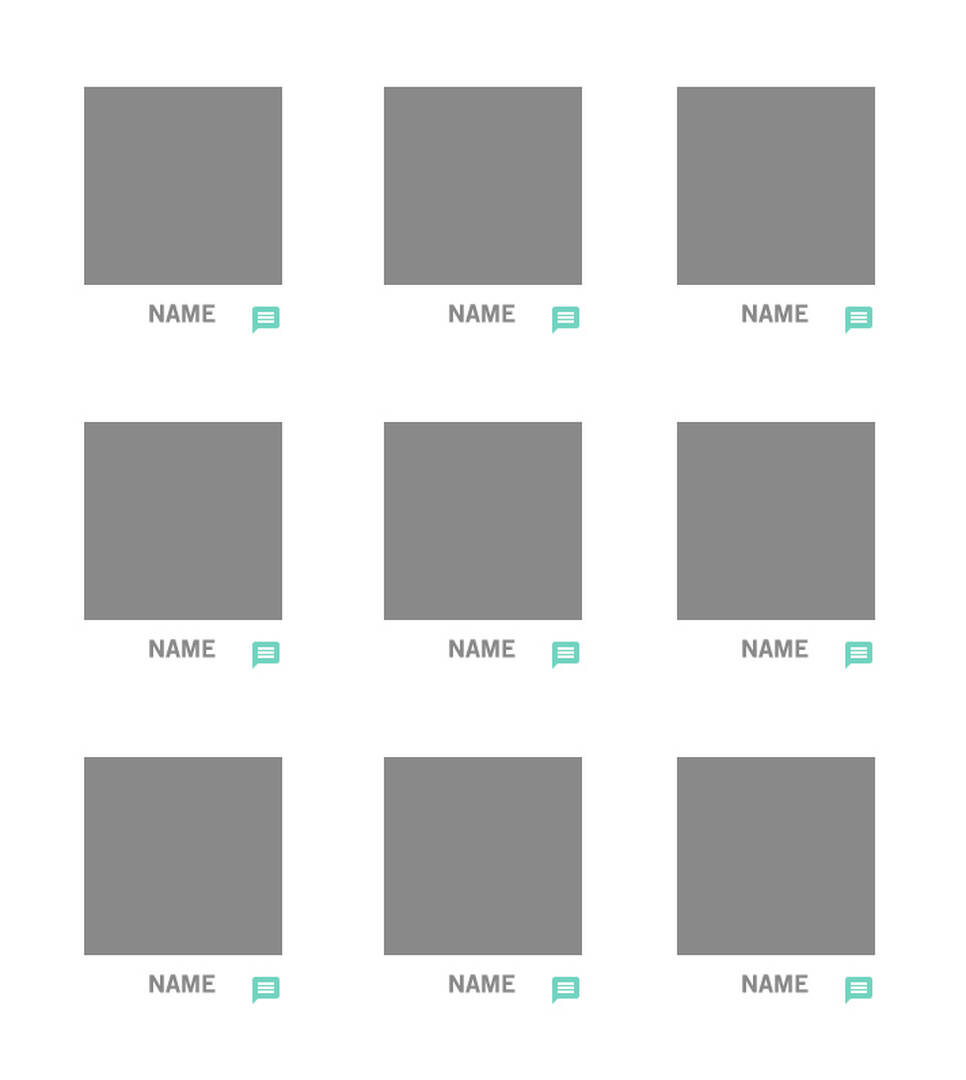
I'm trying to utilize the 'inline comment' to enable a quick commenting on each thumbnail within a gallery page.
please see attached image for ref.
so I was trying to manually generate the shortcode but the form doesn't even show up on the page using:
<?php echo do_shortcode('[wpdiscuz-feedback id=". $photo_id." question="'. $num .'" opened="0"][/wpdiscuz-feedback]'); ?>
can you please tell me why it's not showing up?
if I generate those inline comments within the default content area it shows fine.
it's just whenever I try to manually generate it it wouldn't work.
please help.
thank you!
Support
Translate
▼
English
Spanish
French
German
Italian
Portuguese
Russian
Chinese
Japanese
Korean
Arabic
Hindi
Dutch
Polish
Turkish
Vietnamese
Thai
Swedish
Danish
Finnish
Norwegian
Czech
Hungarian
Romanian
Greek
Hebrew
Indonesian
Malay
Ukrainian
Bulgarian
Croatian
Slovak
Slovenian
Serbian
Lithuanian
Latvian
Estonian
Show original
Translating...
Jan 13, 2021 4:36 pm
(@asti)
Illustrious Member
@xhide00 ,
We're really sorry, but the inline feedback shortcode is designed for post content. There are a lot of changes you should manually do to get the feedback button to work for this case. For example, you should manually add the question in the DB table.
Translate
▼
English
Spanish
French
German
Italian
Portuguese
Russian
Chinese
Japanese
Korean
Arabic
Hindi
Dutch
Polish
Turkish
Vietnamese
Thai
Swedish
Danish
Finnish
Norwegian
Czech
Hungarian
Romanian
Greek
Hebrew
Indonesian
Malay
Ukrainian
Bulgarian
Croatian
Slovak
Slovenian
Serbian
Lithuanian
Latvian
Estonian
Show original
Translating...
Jan 13, 2021 8:50 pm
(@xhide00)
Active Member
you should manually add the question in the DB table.
can you please guide me how this is done?
FIY, this is my current code:
<?php
while( have_rows('phone_booth') ): the_row();
<?php if (get_sub_field('image')):?>
?>
<?php echo do_shortcode('[wpdiscuz-feedback id="'. $slug.$num .'" question="'. $num .'" opened="0"][/wpdiscuz-feedback]'); ?>
<?php endif;?>
</div>
Translate
▼
English
Spanish
French
German
Italian
Portuguese
Russian
Chinese
Japanese
Korean
Arabic
Hindi
Dutch
Polish
Turkish
Vietnamese
Thai
Swedish
Danish
Finnish
Norwegian
Czech
Hungarian
Romanian
Greek
Hebrew
Indonesian
Malay
Ukrainian
Bulgarian
Croatian
Slovak
Slovenian
Serbian
Lithuanian
Latvian
Estonian
Show original
Translating...
Jan 14, 2021 12:33 am
(@xhide00)
Active Member
just another quick question here:
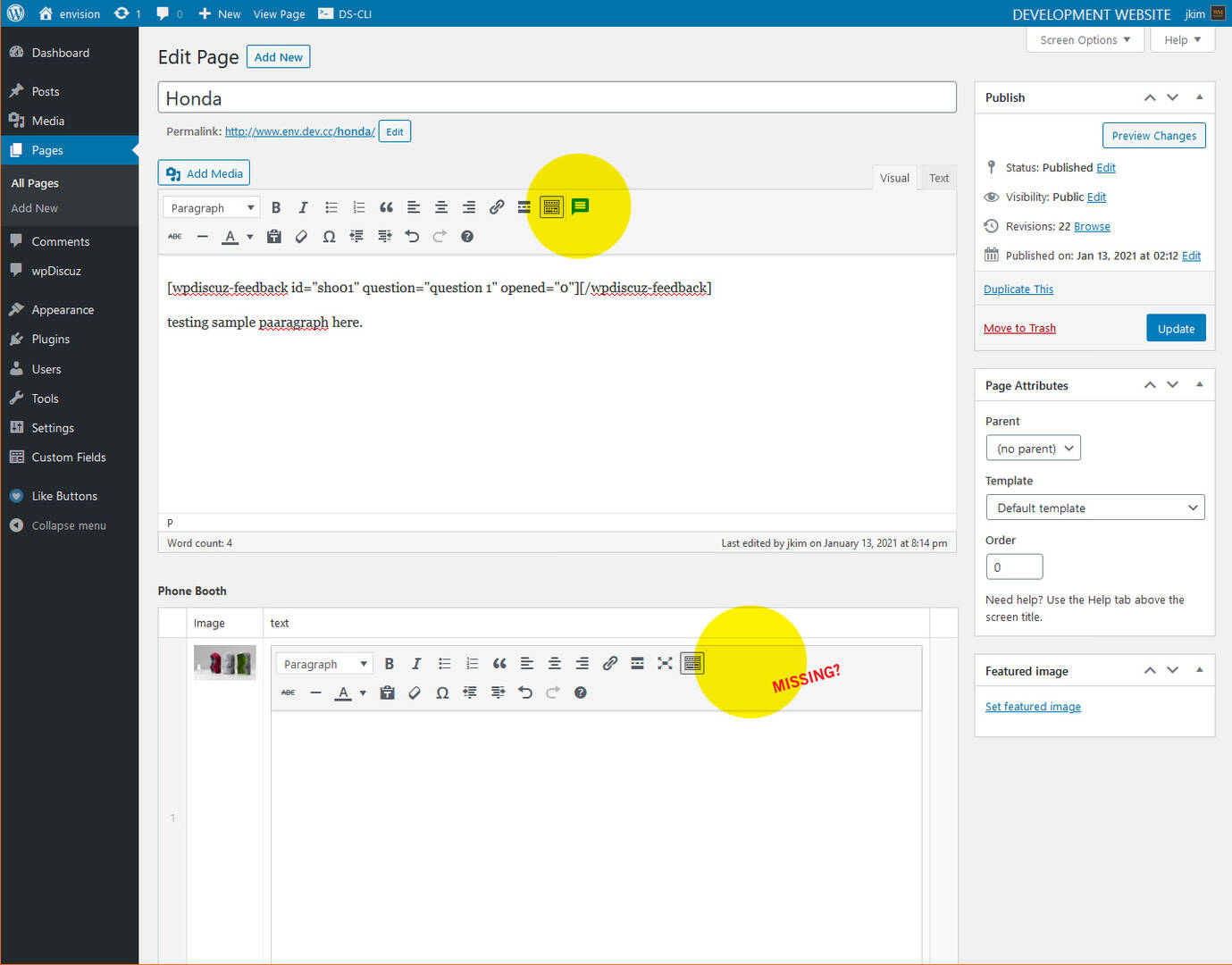
I'm using ACF(advanced custom fields) to create loop and I'm using their WYSWYG editor (similar to WP's default the_content editor) but even when the 'discussion' check mark is on, it allows to insert inline comment only on WP's default editor and not on ACF's editor.
would there be a way to have that option show up in the ACF's editor?
(@asti)
Illustrious Member
Posts: 8364
Jan 14, 2021 6:28 pm
Translate
▼
English
Spanish
French
German
Italian
Portuguese
Russian
Chinese
Japanese
Korean
Arabic
Hindi
Dutch
Polish
Turkish
Vietnamese
Thai
Swedish
Danish
Finnish
Norwegian
Czech
Hungarian
Romanian
Greek
Hebrew
Indonesian
Malay
Ukrainian
Bulgarian
Croatian
Slovak
Slovenian
Serbian
Lithuanian
Latvian
Estonian
Show original
Translating...
@xhide00 ,
can you please guide me how this is done?
I'm really sorry, but there is no easy solution we can provide you.
would there be a way to have that option show up in the ACF's editor?
This is designed to work in this way. The inline commenting is designed for post content. However, you can use the shortcode:
[wpdiscuz-feedback id="idNCXs
Just make sure the red marked "idNCXs
Super Globals
Options and Features