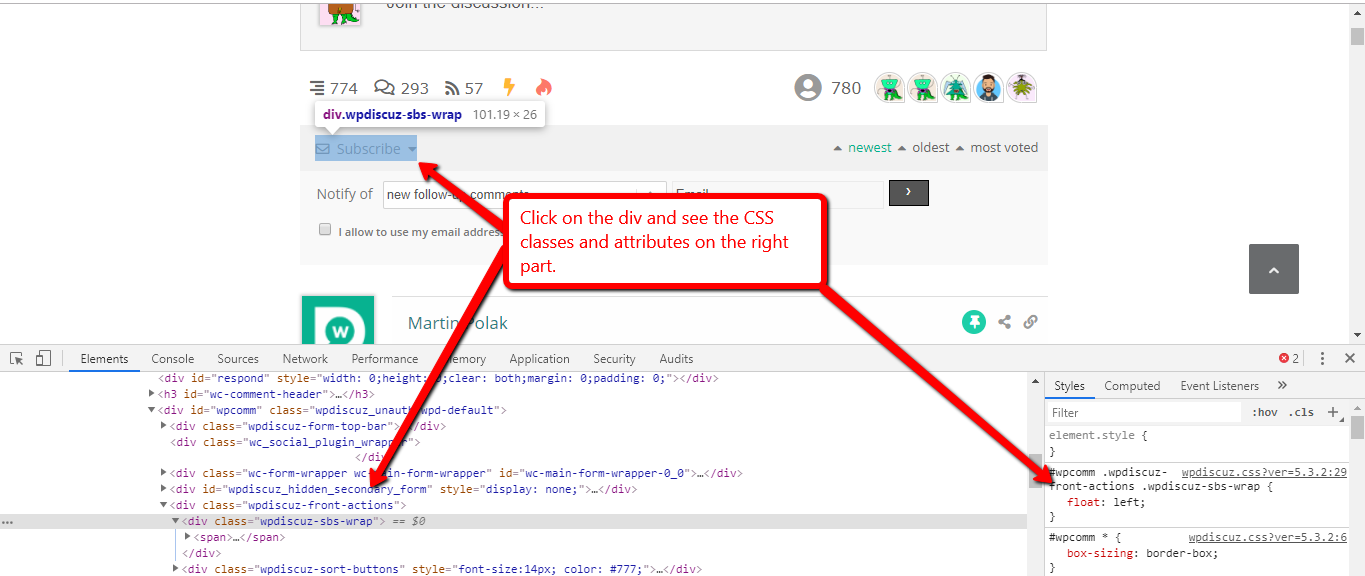
The codes should be put in the Top Admin Bar > Customize > Additional CSS > "Additional CSS" textarea, save it, delete all caches and check again. Please don't forget to press Ctrl+F5 (twice) on the frontend before checking.
Please note, that we don't provide support for style customization, we may help in 1-2 simple questions related to colors and background but not more. We can not help you customize the components of website style, these are custom requirements and should be done by website owners. We only help with general questions and issues.
Thank you for your understanding.
You can find all classes by pressing F12 on the browser and opening Chrome or Firefox Console, it'll help you easily write CSS rules you need to customize.Β
In case you want to say thank you! π We'd really appreciate if you leave a good review on the plugin page. This is the best way to say thank you to this project and the support team.