The effects of alcohol on sustanon 250 leucine for – real weight loss & bodybuilding benefits?
Search
Close
AI Search
Classic Search
 Search Phrase:
 Search Type:
Advanced search options
 Search in Forums:
 Search in date period:

 Sort Search Results by:

AI Assistant
Default sort order ...
 
Share:
Notifications
Clear all

[Solved] Default sort order "from newest to old"

5 Posts
2 Users
0 Reactions
1,789 Views
Posts: 13
Topic starter
Translate
English
Spanish
French
German
Italian
Portuguese
Russian
Chinese
Japanese
Korean
Arabic
Hindi
Dutch
Polish
Turkish
Vietnamese
Thai
Swedish
Danish
Finnish
Norwegian
Czech
Hungarian
Romanian
Greek
Hebrew
Indonesian
Malay
Ukrainian
Bulgarian
Croatian
Slovak
Slovenian
Serbian
Lithuanian
Latvian
Estonian
(@aleksmag74)
Eminent Member
Joined: 4 years ago
[#2675]

Hi

1) I would like comments to default to "from newest to old".
But I haven't found that setting anywhere. There's only an option to switch via tab

2) I would also like to limit the number of comments and the number of comment threads on the first show. In order to make additional comments load up when the "More" button is pressed, if necessary.
Is this possible?
Can you tell me what settings are responsible for this?


4 Replies
Asti
Posts: 8208
 Asti
Support
Translate
English
Spanish
French
German
Italian
Portuguese
Russian
Chinese
Japanese
Korean
Arabic
Hindi
Dutch
Polish
Turkish
Vietnamese
Thai
Swedish
Danish
Finnish
Norwegian
Czech
Hungarian
Romanian
Greek
Hebrew
Indonesian
Malay
Ukrainian
Bulgarian
Croatian
Slovak
Slovenian
Serbian
Lithuanian
Latvian
Estonian
(@asti)
Illustrious Member
Joined: 8 years ago

@aleksmag74,

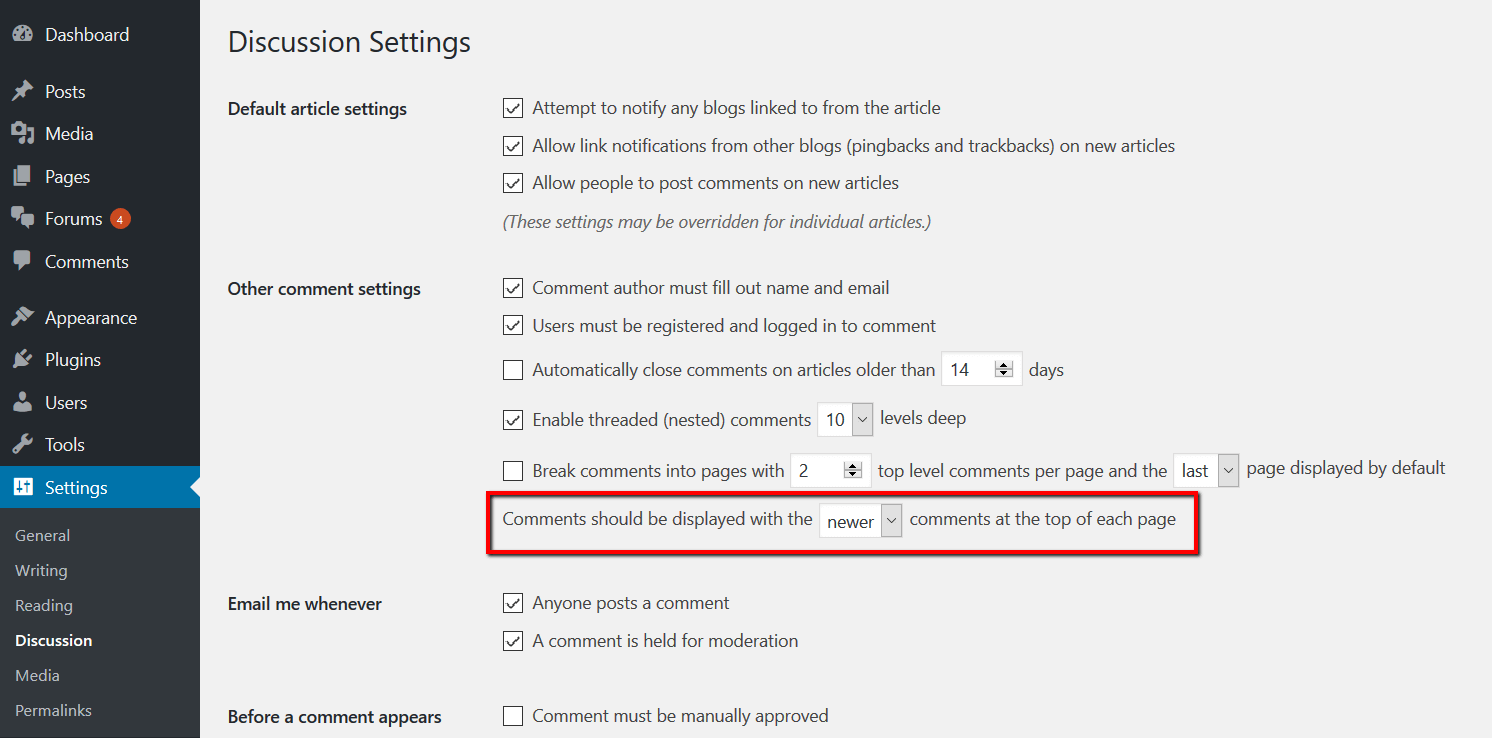
1) I would like comments to default to "from newest to old".

This is based on the according to WordPress native discussions setting in Dashboard > Settings > Discussions admin page.

More info here: https://wpdiscuz.com/docs/wpdiscuz-documentation/settings/comment-list-settings/#sorting_buttons

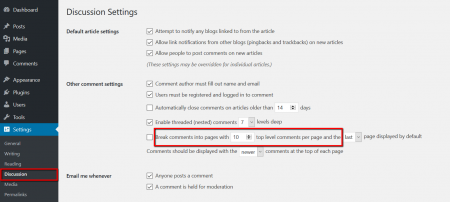
2) I would also like to limit the number of comments and the number of comment threads on the first show. In order to make additional comments load up when the "More" button is pressed, if necessary.

The X number of comment threads per loading action is defined in WordPress discussion settings. This setting is located in Dashboard > Settings > Discussions admin page.

image

More info here: https://wpdiscuz.com/docs/wpdiscuz-documentation/settings/comment-list-settings/#pagination


Posts: 13
Topic starter
Translate
English
Spanish
French
German
Italian
Portuguese
Russian
Chinese
Japanese
Korean
Arabic
Hindi
Dutch
Polish
Turkish
Vietnamese
Thai
Swedish
Danish
Finnish
Norwegian
Czech
Hungarian
Romanian
Greek
Hebrew
Indonesian
Malay
Ukrainian
Bulgarian
Croatian
Slovak
Slovenian
Serbian
Lithuanian
Latvian
Estonian
(@aleksmag74)
Eminent Member
Joined: 4 years ago

Hi!
I can't see menu "Discussion" in Settings. 
How I can enable comments on my Wordpress site?

Out developer turn off it 2 years ago. But now, I want to enable this option.
But can't find the proper options for this.

I searched on google, but couldn't find it.


1 Reply
Asti
 Asti
Support
(@asti)
Joined: 8 years ago

Illustrious Member
Posts: 8208
Translate
English
Spanish
French
German
Italian
Portuguese
Russian
Chinese
Japanese
Korean
Arabic
Hindi
Dutch
Polish
Turkish
Vietnamese
Thai
Swedish
Danish
Finnish
Norwegian
Czech
Hungarian
Romanian
Greek
Hebrew
Indonesian
Malay
Ukrainian
Bulgarian
Croatian
Slovak
Slovenian
Serbian
Lithuanian
Latvian
Estonian

@aleksmag74,

Probably he has closed the tabs via custom code. In any case, it'd be better if you ask the developer to enable those. 


Posts: 13
Topic starter
Translate
English
Spanish
French
German
Italian
Portuguese
Russian
Chinese
Japanese
Korean
Arabic
Hindi
Dutch
Polish
Turkish
Vietnamese
Thai
Swedish
Danish
Finnish
Norwegian
Czech
Hungarian
Romanian
Greek
Hebrew
Indonesian
Malay
Ukrainian
Bulgarian
Croatian
Slovak
Slovenian
Serbian
Lithuanian
Latvian
Estonian
(@aleksmag74)
Eminent Member
Joined: 4 years ago

@asti thank you for your help!!!


Share: