The effects of alcohol on sustanon 250 leucine for – real weight loss & bodybuilding benefits?
Search
Close
AI Search
Classic Search
 Search Phrase:
 Search Type:
Advanced search options
 Search in Forums:
 Search in date period:

 Sort Search Results by:

AI Assistant
Bulk management pag...
 
Share:
Notifications
Clear all

Question [Solved] Bulk management page not aligned

3 Posts
2 Users
1 Reactions
850 Views
Posts: 32
Topic starter
Translate
English
Spanish
French
German
Italian
Portuguese
Russian
Chinese
Japanese
Korean
Arabic
Hindi
Dutch
Polish
Turkish
Vietnamese
Thai
Swedish
Danish
Finnish
Norwegian
Czech
Hungarian
Romanian
Greek
Hebrew
Indonesian
Malay
Ukrainian
Bulgarian
Croatian
Slovak
Slovenian
Serbian
Lithuanian
Latvian
Estonian
(@doctorbr)
Trusted Member
Joined: 2 years ago
[#8567]

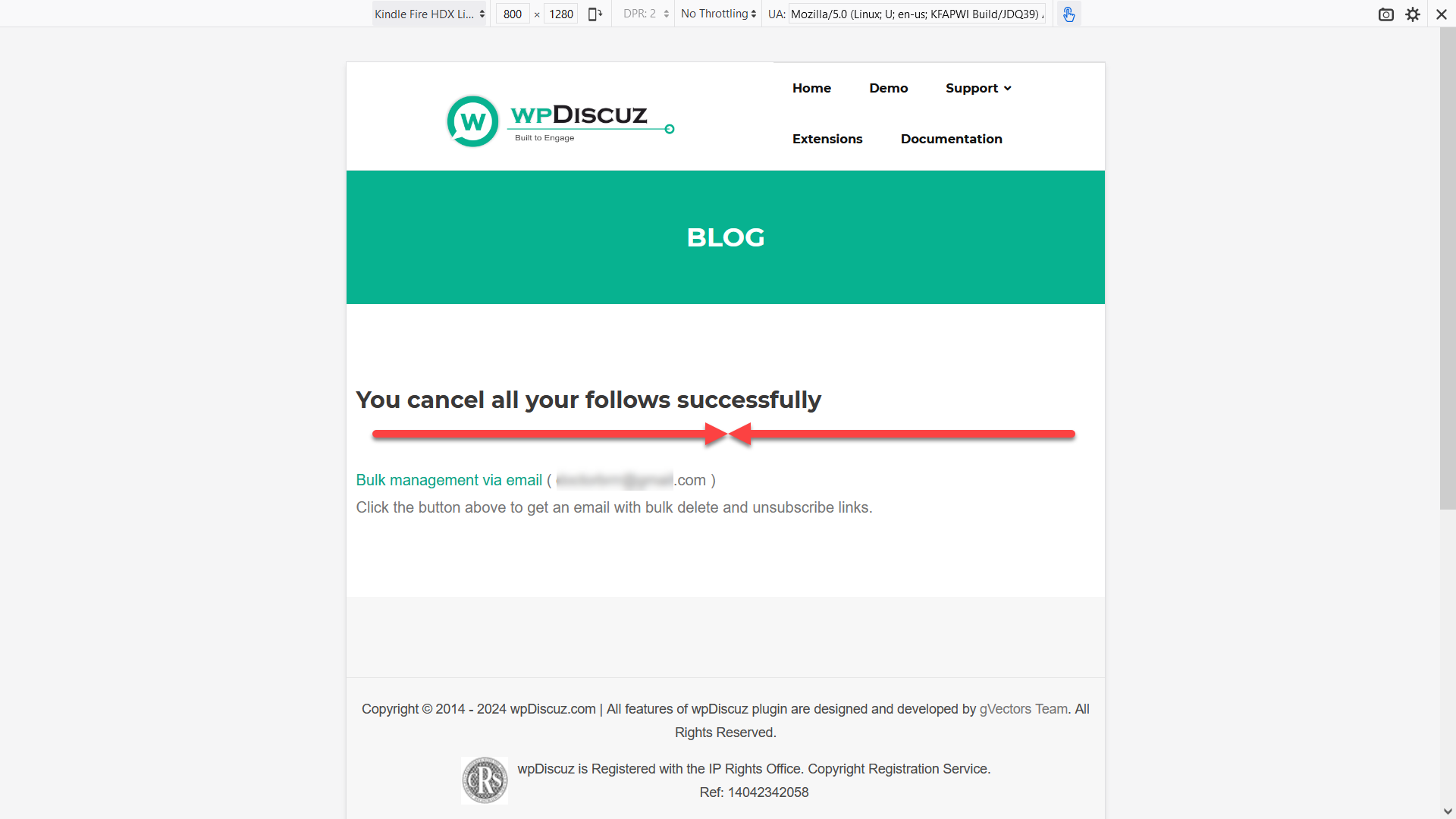
The page that opens after clicking on any link from the email: Bulk Management via email, shows the information aligned on the left, not centralized.

2024 06 18 16 30 57   wpDiscuz Bulk management via email problem

How can I centralize the information on it?

I would also like to keep only the information that the procedure was successful.

Maintain the link "Bulk Management via email" and the instructions for the user to get the email again and unnecessary and generates confusion. After all, the user already has the email with the links. 🙂

Thanks in advance!


2 Replies
Asti
Posts: 8210
 Asti
Support
Translate
English
Spanish
French
German
Italian
Portuguese
Russian
Chinese
Japanese
Korean
Arabic
Hindi
Dutch
Polish
Turkish
Vietnamese
Thai
Swedish
Danish
Finnish
Norwegian
Czech
Hungarian
Romanian
Greek
Hebrew
Indonesian
Malay
Ukrainian
Bulgarian
Croatian
Slovak
Slovenian
Serbian
Lithuanian
Latvian
Estonian
(@asti)
Illustrious Member
Joined: 8 years ago

Hi,

Use the CSS code below: 

.wpdc-unsubscription-main {
    text-align: center;
}

Maintain the link "Bulk Management via email" and the instructions for the user to get the email again and unnecessary and generates confusion. After all, the user already has the email with the links. 🙂

Use the CSS code: 

.wpdc-unsubscription-bulk {
    display: none;
}

Insert the code in the Top Admin Bar > Customize > Additional CSS > "Additional CSS" textarea, save it, delete all caches and check again.


Posts: 32
Topic starter
Translate
English
Spanish
French
German
Italian
Portuguese
Russian
Chinese
Japanese
Korean
Arabic
Hindi
Dutch
Polish
Turkish
Vietnamese
Thai
Swedish
Danish
Finnish
Norwegian
Czech
Hungarian
Romanian
Greek
Hebrew
Indonesian
Malay
Ukrainian
Bulgarian
Croatian
Slovak
Slovenian
Serbian
Lithuanian
Latvian
Estonian
(@doctorbr)
Trusted Member
Joined: 2 years ago

It worked!

Thank you very much! 🙂 


Share: