

The effects of alcohol on sustanon 250 leucine for – real weight loss & bodybuilding benefits?
Search
Close
AI Search
Classic Search
 Search Phrase:
 Search Type:
Advanced search options
 Search in Forums:
 Search in date period:

 Sort Search Results by:

AI Assistant
How do I align text...
 
Notifications
Clear all

Question [Solved] How do I align text and icons to the middle of parent element (buttons)?

2 Posts
2 Users
1 Reactions
1,415 Views
Posts: 1
Topic starter
Translate
English
Spanish
French
German
Italian
Portuguese
Russian
Chinese
Japanese
Korean
Arabic
Hindi
Dutch
Polish
Turkish
Vietnamese
Thai
Swedish
Danish
Finnish
Norwegian
Czech
Hungarian
Romanian
Greek
Hebrew
Indonesian
Malay
Ukrainian
Bulgarian
Croatian
Slovak
Slovenian
Serbian
Lithuanian
Latvian
Estonian
(@mshuser)
New Member
Joined: 2 years ago
[#7679]

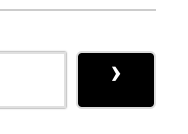
Hi, can anyone please provide a code to align the content within these buttons properly to the middle of the button? Such that the padding is equal on all sides? Currently as you can see the 'Post Comment' text and the chevron icon in the black box seem to be pushed too high in their alignment and are not middle-aligned. Please help!

Screenshot 2023 10 06 at 2.57.51 AM
Screenshot 2023 10 06 at 2.57.46 AM


1 Reply
Asti
Posts: 8217
 Asti
Support
Translate
English
Spanish
French
German
Italian
Portuguese
Russian
Chinese
Japanese
Korean
Arabic
Hindi
Dutch
Polish
Turkish
Vietnamese
Thai
Swedish
Danish
Finnish
Norwegian
Czech
Hungarian
Romanian
Greek
Hebrew
Indonesian
Malay
Ukrainian
Bulgarian
Croatian
Slovak
Slovenian
Serbian
Lithuanian
Latvian
Estonian
(@asti)
Illustrious Member
Joined: 8 years ago

Sorry for the late response. 

We were not able to access your website, so we can't help you with the CSS code. 

Please provide us the valid URL, so we can help you to solve the CSS conflict.


Share: