Please note don't provide support for style customization. We may suggest you use the CSS code for the customizations.
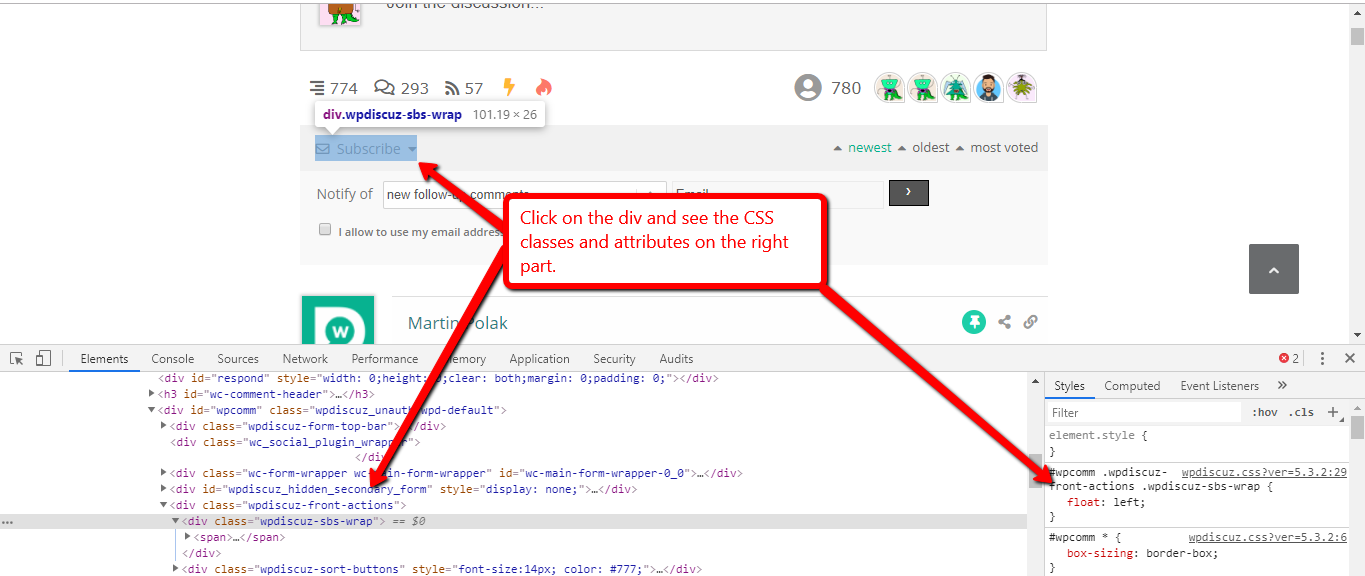
You can find all classes by pressing F12 on the browser and opening Chrome or Firefox Console, it'll help you easily write CSS rules you need to customize.
For example, the color of the text can be changed by using the CSS code below:
In case you want to say thank you! 🙂 We'd really appreciate if you leave a good review on the plugin page. This is the best way to say thank you to this project and the support team.
Thank you for letting us know. Glad to hear that the issue is solved.
In case you want to say thank you! 🙂 We'd really appreciate if you leave a good review on the plugin page. This is the best way to say thank you to this project and the support team.